

When starting a Minecraft server with your friends or a community with hundreds of players, you will have to decide how to host your server. There are three routes to this: self-hosting, shared hosting, and dedicated hosting. For most server owners, shared hosting is the sweet spot. However, if you’re serious about your server, there really is only one route to take. Here’s why.
Dedicated Hosting Route (VPS)
A dedicated server (also known as a VPS) gives you the entire machine. You will have root-level access to your machine via SSH, meaning you can configure everything at the operating system level. Your server runs in a data center with high-speed internet and hardware built for this type of workload.
This level of control comes with a big trade-off. Running a VPS is significantly more technical as you’re responsible for installing the server software, managing security, keeping things updated, and troubleshooting issues yourself. For an experienced system administrator, this is no problem. For most people wanting to play with friends, it’s a steep and unnecessary learning curve.
VPS hosting makes sense in specific situations such as having very large communities, heavily modded servers with extreme resource demands, or networks running multiple game modes simultaneously. For most people, it’s more power and costs more than they actually need.
Shared Hosting Route
Shared hosting means a hosting provider runs a powerful server in a data center and divides it among many Minecraft servers. Essentially, everyone gets a slice of the resources (such as RAM, CPU, and storage) at a low monthly price. Also, your world will always be online 24/7, even when you’re away.
For the vast majority of server owners, shared hosting gives you everything you need without the complexity or the cost of running a dedicated server. A huge advantage is ease of use. You get a friendly control panel to manage your server, no technical knowledge needed. Right from your panel, you can install plugins, modpacks, and schedule backups with just one click.
One thing worth knowing is that when another server on the same machine spikes in activity, it sometimes affects performance. Good hosting providers, such as Cybrancee, handle this through smart resource allocation. This is something to be aware of when choosing a provider.
Self-Hosting Route
Self-hosting means you run the server on your own PC. You download the Minecraft server software, run it, and share your IP address with your friends. As long as your PC is on and the software is running, and port-forwarding is properly configured, people can join the server.
Self-hosting works really well if you’re hosting a small survival world with two or three of your friends who play at the same time as you.
However, a downside of self-hosting is that when you shut down your computer, the server also shuts down. This means everyone is kicked and cannot join back until you turn on your computer and restart the server. If you really wanted to keep the server online 24/7, your computer would also need to run 24/7.
Another issue is performance. Your internet’s upload speed has to carry the player connections, and most residential connections aren’t built to do that. Due to this, your server may lag a lot.
Hosting breakdown
Here’s how all three options compare:
| Feature | Self-Hosting | Shared Hosting | Dedicated/VPS Hosting |
| Cost | Free | Low | Higher |
| Performance | Limited by your PC | Consistent | Consistent and powerful |
| Uptime | Only when your PC is on | 24/7 | 24/7 |
| Setup Difficulty | Medium | Easy | Hard |
| Control | Full (limited by hardware) | Mostly full | Full (root access) |
| Mods/Plugins | Yes (limited by your PC) | Full support | Full support |
| Security | Insecure | Secure | You manage it yourself |
| Players | 2-5 | 5-10 | 10+ |
| Best for | Casual play | Most server owners | Advanced/large networks |
Why Shared Hosting is the Right Choice for Most People
Shared hosting is the right choice for most people because:
- It’s online 24/7: Your world stays live 24/7. Players can log in anytime, even when you are away.
- Reliable performance: Quality hosting providers like Cybrancee allocate resources so your server runs consistently without unexpected lag spikes.
- Full mod and plugin support: Install mods, plugins, and modpacks with Cybrancee’s one-click install.
- Affordable: You get professional hosting at a fraction of the cost of a VPS.
When choosing a hosting provider, we recommend choosing Cybrancee. In addition to the above, they also have the most powerful hardware to run your server. They use Ryzen CPUs that clock in over 4GHz, which is way faster than other hosting providers. Plus, there is a 90-day money-back guarantee if you’re not satisfied with your Minecraft server; most providers usually have a two-week money-back guarantee.
In this blog, we are going to guide you on how to set up a Minecraft server on Cybrancee’s servers.
Choosing the right plan and specs
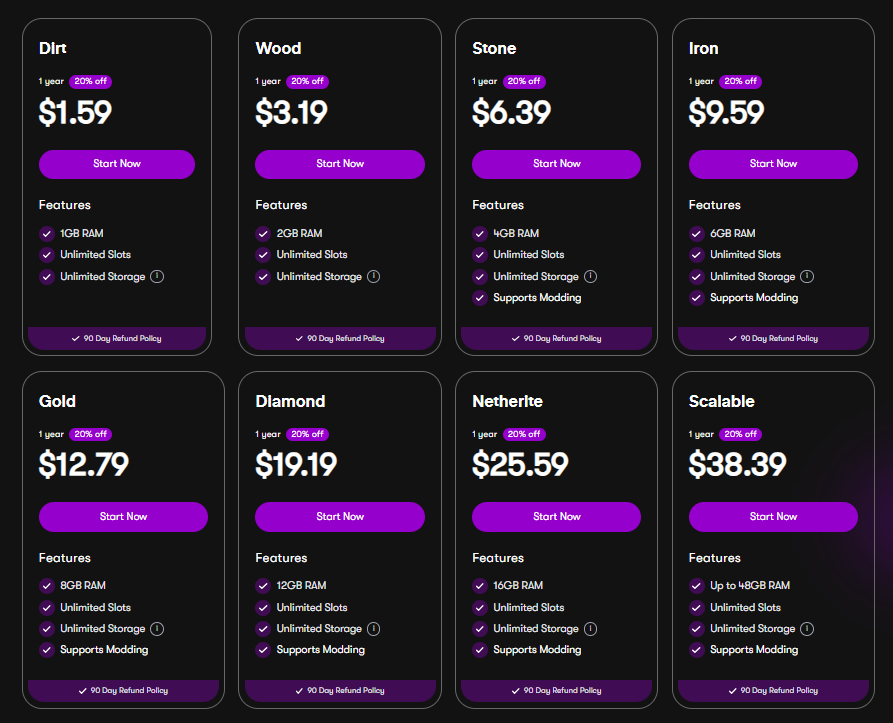
Most hosting providers list their plans by RAM, since RAM is the biggest factor in Minecraft server performance. Here’s a simple guide to what you actually need:
- 2-4GB RAM: Up to 10 players with vanilla or lightly modded gameplay.
- 4-8GB RAM: 10-30 players or a server running a moderate modpack.
- 8GB+ RAM: Large communities, heavily modded servers, or anything running resource-intensive plugins.
When in doubt, start slightly higher than you think you need. It’s always better to have headroom. If you’re not sure where to start, Cybrancee has a Minecraft RAM Calculator that can help you figure out the right plan based on your player count and setup.
However, RAM isn’t the whole picture. There are other specs to consider, such as CPU and storage.
CPU matters a lot more than people expect. A fast modern single-core processor handles more players and complex redstone builds far better than a slower multi-core setup. When comparing plans, look for providers that are transparent about the processors they use. For example, Cybrancee runs its servers on high-performance Ryzen CPUs paired with NVMe SSDs.
Storage adds up over time. Minecraft worlds grow as players explore more chunks, and larger worlds with more players generate data really quickly. SSDs are significantly faster than traditional hard drives for chunk loading and world saving. Most dedicated hosting providers, such as Cybrancee, use NVMe SSDs.
Server Software
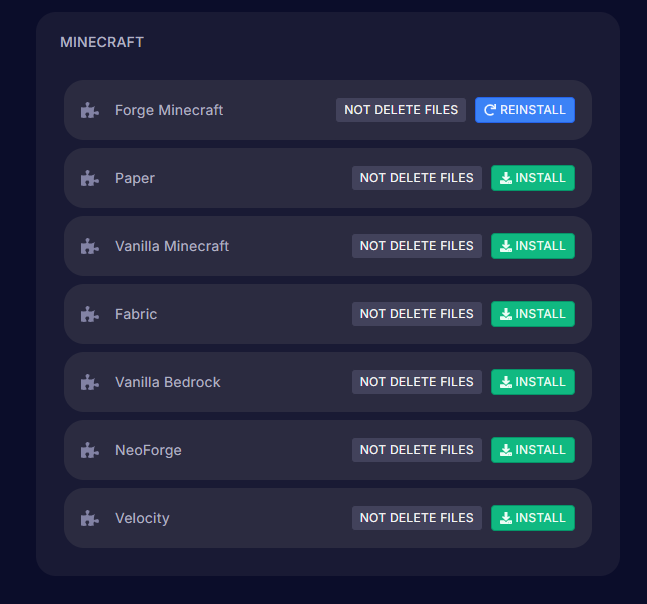
When you set up your dedicated server, one of the first choices you’ll make is which server software to run. Each option is built for a different purpose, and picking the right one makes a big difference.
Vanilla is the standard, unmodified Minecraft server straight from Mojang. It’s a good choice if you want a pure experience and don’t plan on running any mods or plugins, but it’s an unoptimized version.
Paper and Spigot are performance-optimized versions of the Minecraft server. They run faster and more efficiently than Vanilla. It also supports plugins, which are add-ons that can change gameplay, add moderation tools, add new features, and more. Paper is generally more actively maintained and performs better.
Forge is the software to use if you want to run mods. Mods are deeper modifications to the game than plugins. They can add entirely new items, mechanics, dimensions, and systems. Forge has been around for a long time and has by far the largest mod library available. If you’re running a modpack, Forge is most likely what you need. However, Fabric is a newer, lighter alternative to Forge. It’s become very popular for performance mods and smaller mod setups. It also loads way faster than Forge.
There’s also a fork of Forge called NeoForge. It loads faster than Forge, is more actively maintained, and has better performance overall. If you’re setting up a modded server with a recently released modpack, the modpack likely runs on NeoForge rather than Forge.
Velocity is a unique software. It’s a proxy that connects multiple Minecraft servers into one network. Players join through the Velocity server and can then be routed to different servers, such as a survival world, a minigames server, or a creative server, all under the same IP address. This is an advanced setup and not something most people will need. However, it’s extremely helpful if you’re building a large network with multiple servers for multiple game modes.
How to Set Up Your Cybrancee Dedicated Server
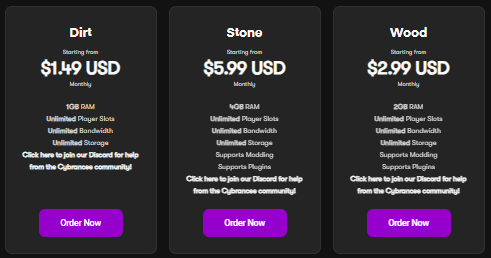
Step 1 – Pick your plan: Choose a server plan based on your expected player counts and whether you’re running mods or plugins. If you’re planning on adding lots of mods or resource-intensive plugins, consider purchasing a plan with more RAM.
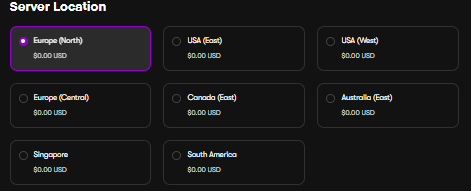
Step 2 – Choose your server location: At checkout, pick the location closest to you and your players. Cybrancee has servers across North America, Canada, South America, Singapore, Australia, and Europe.
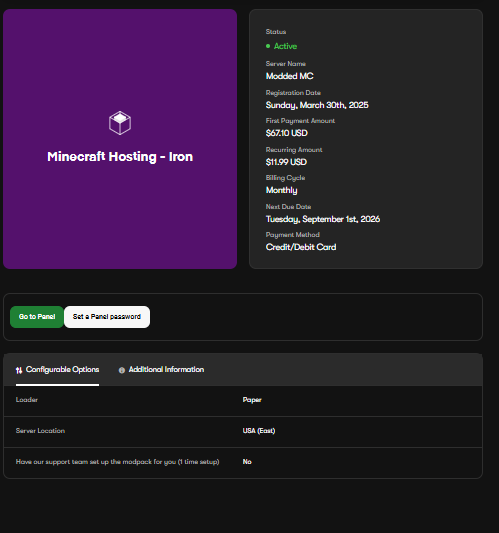
Step 3 – Access your control panel: Once you purchase and begin your plan, you’ll get login details for your server dashboard. From there, you can start and stop your server, manage your files, view performance details, and more.
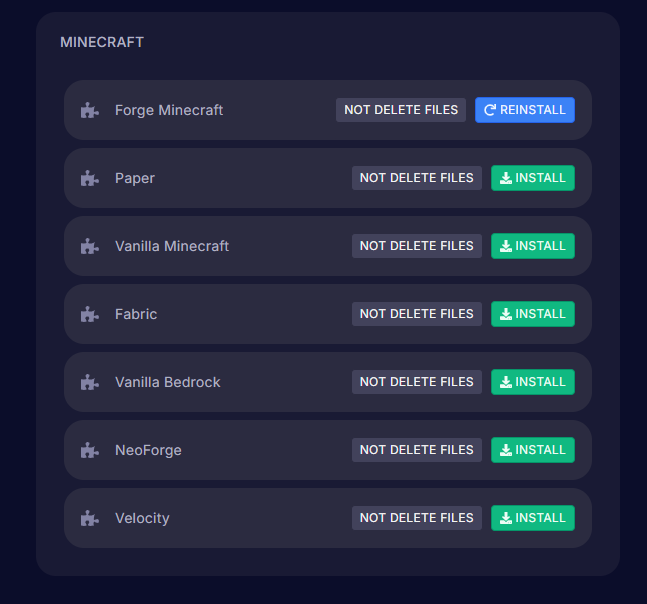
Step 4 – Install your server software: You must select your server type from the control panel. Most hosting providers allow installation with only one click. Refer to the Server Software section above if you’re unsure which to pick.
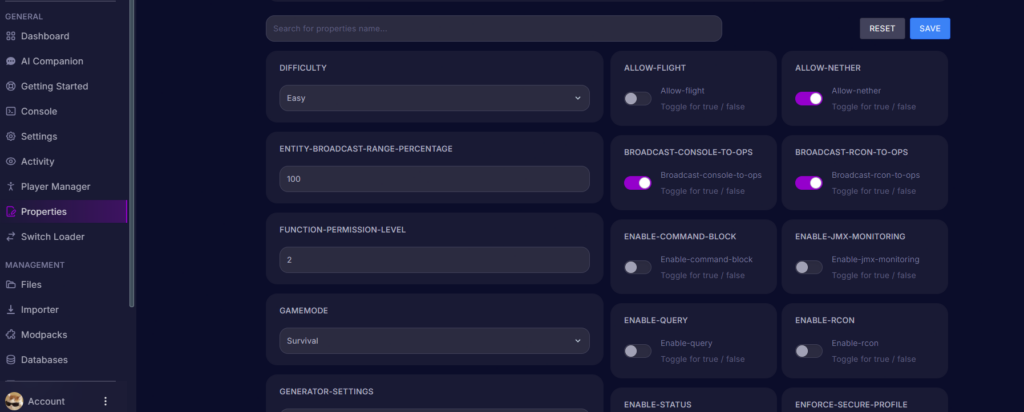
Step 5 – Configure your settings: Open your server.properties file and configure the server name, max player count, game mode, and online mode (which verifies players’ accounts).

Step 6 – Go live: Start your server from the control panel. Your IP address is shown in your dashboard. Share it with your players so they can add the server to their server list and join your server.
Control panel features
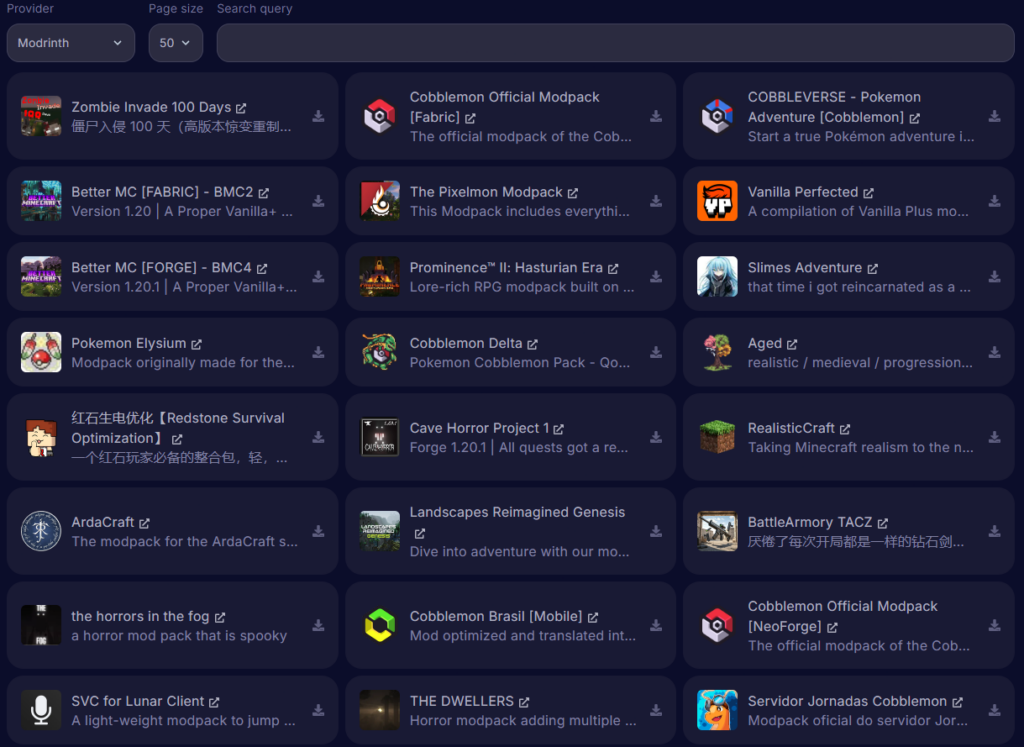
Modpack installer: Browse and install from over thousands of modpacks with a single click. No manual downloading or file management needed.
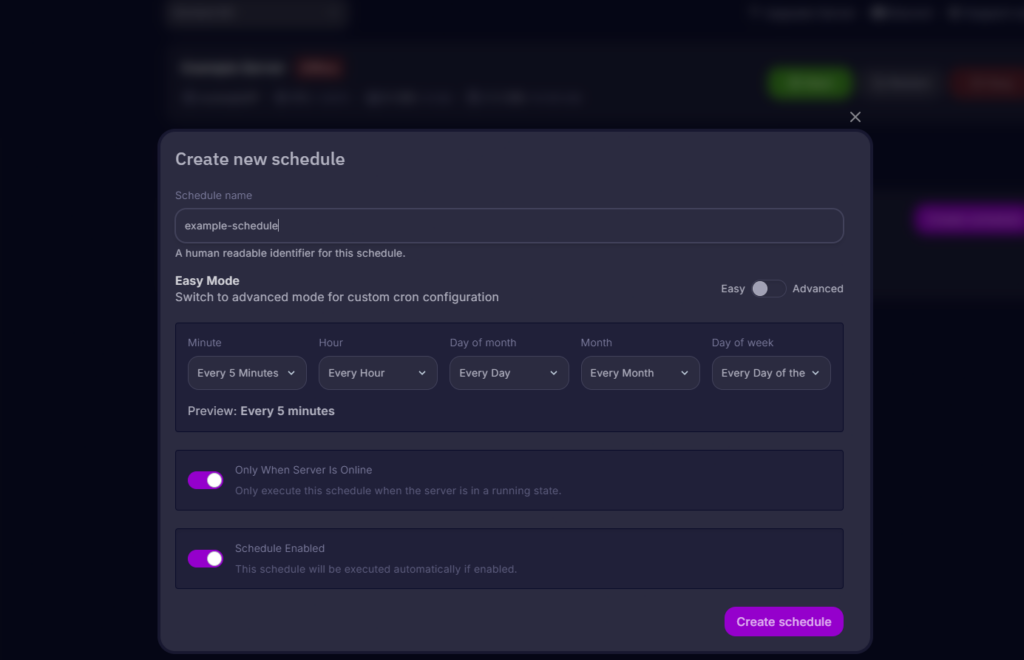
Scheduled backups: You can set up automatic backups on a schedule. If something goes wrong, you can restore your server to a previous state at any time.
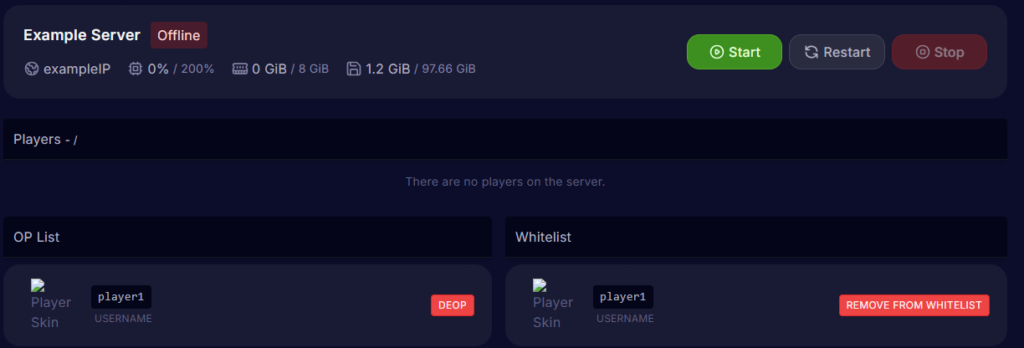
Player manager: You can add players to the whitelist, manage operator permissions, or kick or ban players all in one place without typing commands in the console.
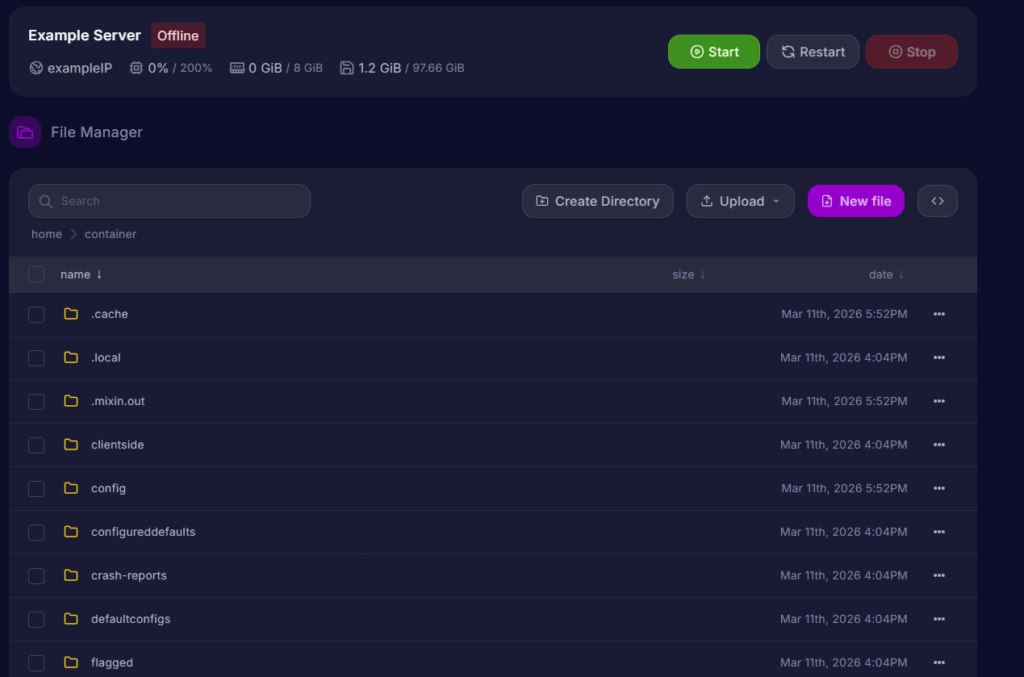
File manager: You can access and edit all server files directly in the panel without needing FTP software. SFTP is still an option for larger file transfers.
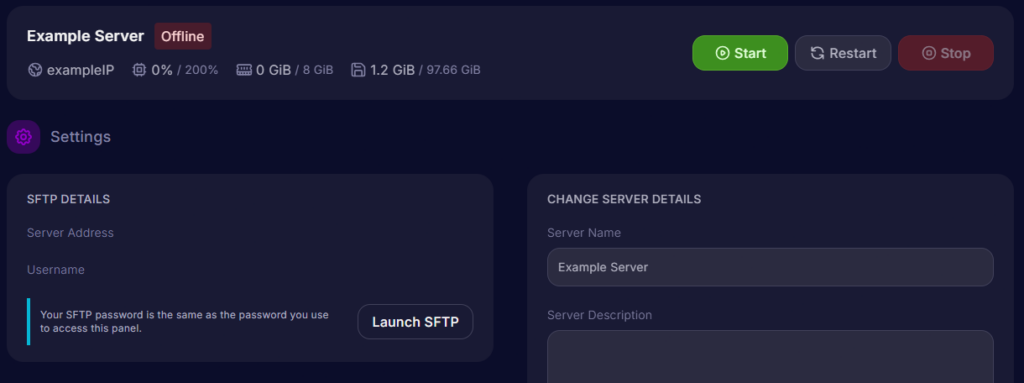
Server settings: You can access your STFP details and change the name of your server.
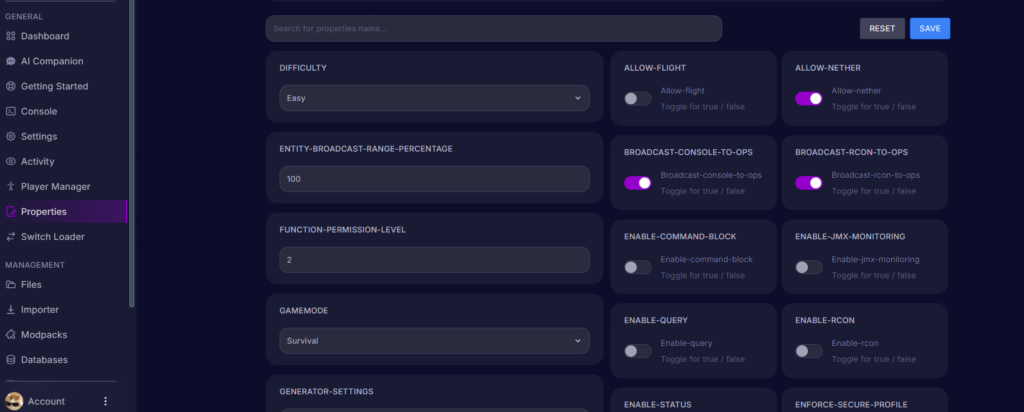
Properties: Control how your world behaves by adjusting the seed, structures, game rules, and more. You can adjust the game mode, difficulty, max players, view distance, spawn settings, and more within the panel.
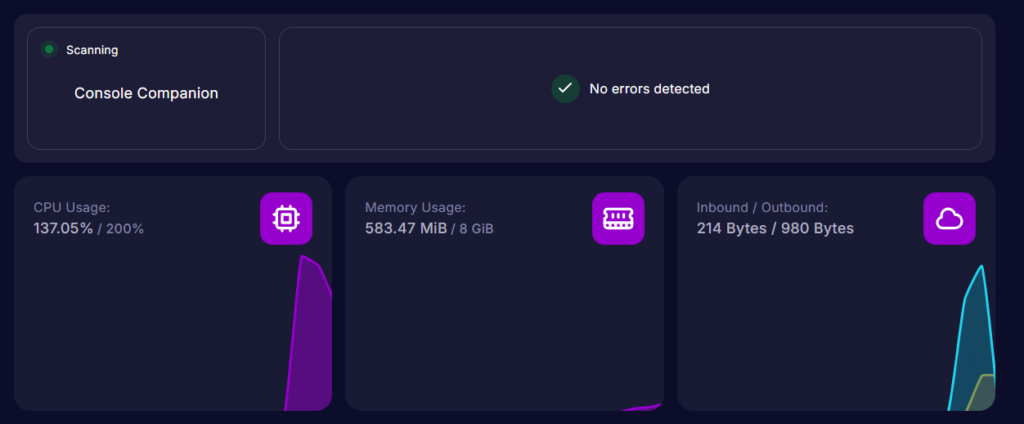
Performance monitor: Keep an eye on your server’s real-time CPU and RAM usage to view its performance.
Best practices
Back up regularly: Set up automatic backups and store them separately from your server files. For dedicated and shared hosting, your control panel usually has a built-in backup tool. But on self-hosted servers, this must be done manually.
Keep your software updated: Minecraft and other server software often release updates regularly. Staying up to date means better performance and security. Always check that your mods or plugins are compatible before updating, as incompatible ones are the most common cause of a broken server.
Set up a whitelist: Turn it on to prevent strangers from joining. Make sure to add your friends or other people you want on your server so they can still join you.
Monitor your TPS: A server’s TPS (ticks per second) usually sits at around 20. If it isn’t around 20, there are likely too many loaded entities or heavy redstone contraptions.
Know when to upgrade: A consistently low TPS and a growing player base are signs to consider upgrading.
Conclusion
Self-hosting is a good start, but it’s not as reliable or as commonly used. For most Minecraft server owners, shared hosting is the clear choice. It’s affordable, beginner-friendly, always online, and gives you the control you need. VPS hosting remains an option for advanced users with very specific needs, but the truth is, the vast majority of servers run perfectly well on shared hosting.
If you’re looking to run a Minecraft dedicated server for you and your friends or community, check out Cybrancee’s Minecraft Server Hosting. Cybrancee offers exceptional hosting with a generous 90-day money-back guarantee.
Happy Hosting!