


Ark: Survival Evolved cannot provide you with a universal cross-playing experience. The game first came out in 2015, before cross-platform was a big thing, so obviously the game’s system was built at that time. There is very little support that only works for very particular pairs of ecosystems. If you want to play seamlessly across all three devices Xbox, PlayStation, and PC- you need only Ark: Survival Ascended, which is a remastering done in 2023 and specifically for modern cross-platforms.
This is your one-stop shop if you’re going to ask about cross-playing in the original Ark: What is currently working? When is it not working? Why doesn’t it work at all? How to work around it. Whether you are setting up a server together for your friends or trying to join an existing community, read the whole thing before you spend money or waste hours debugging.
Crossplay Compatibility Breakdown
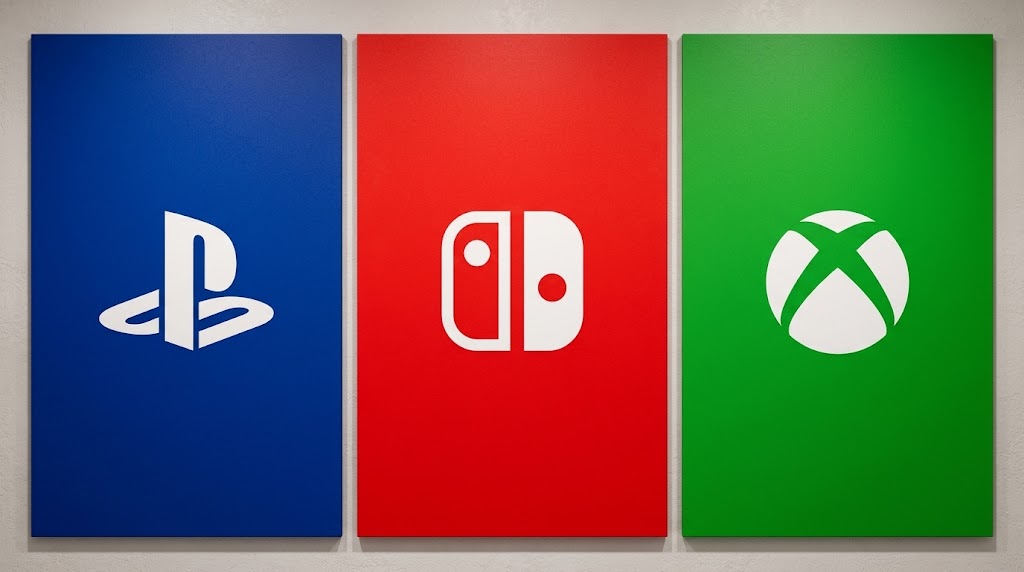
Figuring out which platforms can interact is the first and most important step. Mess this up, and you are literally stuck playing against each other no matter how much you fiddle with the settings.
If you want to know about a particular game’s cross-platform compatibility, you should refer to their official website first, as crossplay information on their support forums will likely be kept updated there, too.
| Platform 1 | Platform 2 | Crossplay Status | Notes |
|---|---|---|---|
| Xbox One / Series X | S | PC (Microsoft Store / Xbox App) | Yes |
| PC (Steam) | PC (Epic Games Store) | Yes | Unmodded dedicated servers only |
| Xbox / Microsoft PC | PC (Steam / Epic) | No | Entirely separate ecosystems |
| PlayStation 4 / 5 | Any other platform | No | Locked to PlayStation network |
| Nintendo Switch | Any other platform | No | Completely isolated |
| Mobile (iOS) | Mobile (Android) | Yes | Mobile-only servers |
The underlying idea here is that Microsoft owns the Xbox ecosystem so that Xbox and Microsoft Store PC can communicate. Steam and Epic both run on Windows and have similar software systems; that is why they are able to play. All the rest are kept out.
Why Full Crossplay Failed
Technical restrictions are not random things to do but result from the difference in gaming architecture from different companies that had totally different objectives in building their technologies.
Steam Vs. Epic: both are based on the same 64-bit version of the Windows platform, so they are very easy to interconnect. The only problem with them is the Steam Workshop. The launcher made by Epic cannot figure out the Steam Workshop mods, so once a server has added any mod, it has no choice except to become Steam-only. The issue is, to the best of the user’s knowledge, an intentional decision made by Epic to limit crossplay as a way of keeping the platform under one company.
Sony and Nintendo: Sony was among those who strongly opposed crossplay for a couple of years, although they changed their stance after that; yet Ark’s architecture had already been closed. The port of Ark for Switch is such a low-powered and outdated version technically that it is impossible for the other side to support it. Furthermore, Nintendo’s online infrastructure is unique, unlike their competitors.
How to Enable PC Crossplay (Steam and Epic)

If you’re using a host like Cybrancee to run a dedicated server, the following is the exact step-by-step procedure. You need to follow these instructions exactly as you are asked, because missing even a single setting will result in locking out the players on Epic.
- Please stop the server completely. One must not edit the file while the game is running. The file edits will not be implemented and may lead to wrong data being saved.
- Either access your host’s Commandline Manager or Basic Settings tab from your control panel, depending upon your preference.
- Click on Allowed Platforms or manually insert -crossplay as the startup argument through the host’s console or command-line.
- Specify your setting to the combination of “Steam + Epic” and hit the Save button to apply it.
- Reboot the server and make sure crossplay mode is turned on by checking server logs.
If mods are important to you and your community, there’s a drawback that goes along with crossplay. Once Steam and EPIC crossplay is switched on, it will remove all the mod support since the Epic Games Launcher is not a Steamworks Content Loader tool anymore. All the Steam modded content will no longer be available on your server, and your server will only play the base (vanilla) game. So if your group loves mods, you gotta make the choice of either mods or EPIC crossplay, as no workaround exists.
Finding existing crossplay servers
If you are Steam and/or Epic players who want to join public servers without being a host yourselves:
- Go to Server Browser from the main menu
- Select the “Dedicated Server, Unofficial” filtering option
- Type Crossplay or Epic in the search box
- Steer clear of servers with the modded icon (a piece of puzzle). As a rule, Epic players get connection errors instantly on modded servers.
Check out each server listing thoroughly. It is quite common for some to say crossplay, and it just means that they can host both Steam and Epic players. Others might refer to the Xbox and Microsoft PC crossplay. There isn’t a universal language. If you are confused, feel free to contact the administrator directly via Discord or the server website.
Xbox Play Anywhere Setup

That’s the way cross-play usually goes and, of course, you play it on different platforms. You buy once and play on both Xbox and PC. No need to buy the game twice. No need to rent the server. It all works perfectly.
- Game purchased on the Xbox Store (and not on Steam or Epic)
- Log in to the same MS account on your Windows PC through the Xbox App
- Game is available for free download via the Xbox App on PC
- Set up a cross-play session from either end
- Join a player through your Xbox Live friends list
The session is only as robust as the one who hosts it. If he logs off, the session ends. For worlds that are persistent, you’d better rent a server or leave an Xbox spare running.
Cross-Progression and Cross-Saves
What Actually Transfers
Cross-play and cross-progression features in Ark: Survival Evolved are quite restricted. Only one biome supports it fully.
Xbox Play Anywhere/Xbox Live:
With a single account, you have access to the same character, tamed dinos, base structures, and map exploration progress in both the Xbox One console and the Microsoft Store PC app. Imagine you log in on Xbox, build a new structure, and capture a raptor. Then if you log in on the Microsoft Store PC with the same Xbox Live/MSN password via the Xbox App, you’re still there with everything.
We have made it so both ends run on exactly the same servers. Your save gets uploaded onto Xbox Live servers, not on your machine.
The things do not move:
| From | To | Result |
|---|---|---|
| PlayStation 4/5 | PC (any version) | No transfer. Start from zero. |
| Nintendo Switch | PC (any version) | No transfer. Start from zero. |
| Steam | Epic Games | No transfer. Separate accounts entirely. |
| Steam | Xbox / Microsoft Store | No transfer. Different ecosystems. |
| Epic Games | Xbox / Microsoft Store | No transfer. Different ecosystems. |
Sorry, no migration tool, save import, or workaround is going to save you here either. Once dozens/hundreds of hours are invested into the games on PlayStation, you can never transfer them back to your computer. If your main reason for changing platforms is getting all the achievements and progression, then, sadly, your progress won’t be with you.
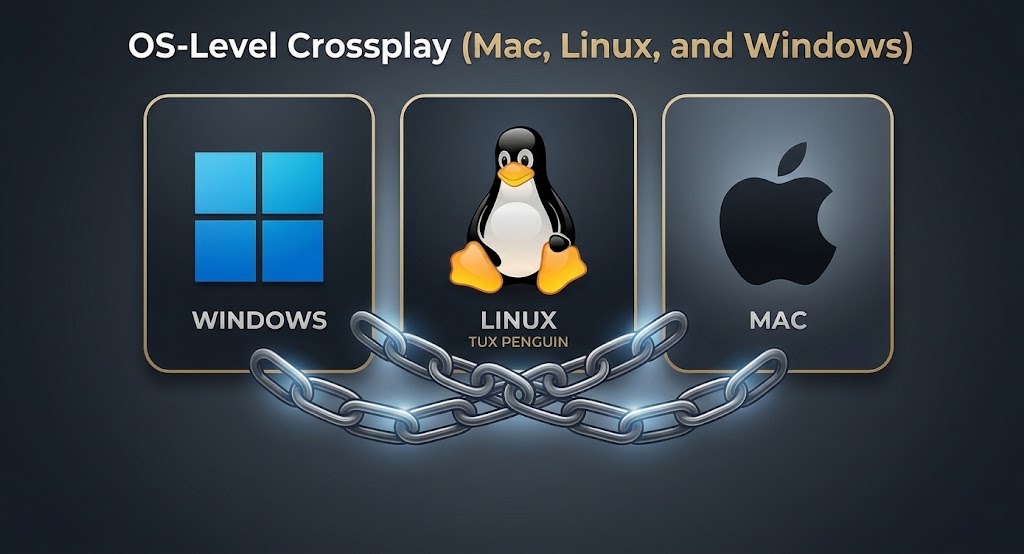
OS-Level Crossplay (Mac, Linux, and Windows)
Steam: Universal Compatibility
You can play the Steam version of Ark directly in Windows, Mac, and even in Linux without additional installations of the game or using extra software.
There is no need to go through any specific settings or configurations for crossplay. A player who uses a Windows OS can host a game, while the rest of you can be on Mac or Linux and still connect to the same server seamlessly. Crossplay features of Steam, as well as the game itself is fully compatible across three different operating systems. Crossplay is working just fine here without extra configuration on part of the player’s side.
Epic Games Store: Windows Only
Here is what you get for starting your gaming journey: A friend of yours who plays on Mac, your other gaming buddy on Linux, yet you, on a Windows machine, are left playing on the same OS forever.
Only versions of Ark for Windows are available at the Epic Games Store. No native builds have been promised for other platforms. The Epic Games launcher does not currently work with either Mac or Linux OS. No Linux, no macOS. Just plain Windows builds, no further plans or announcements.
If your friends play the game on Windows, but you prefer your Mac, you will have a hard time getting along on the same platform. The only way the Epic Games Store works properly if you decide to do cross-platform play with others is if you stick strictly to Windows. It’s time to switch to Steam so you can enjoy the feature of cross-OS multiplayer that it offers you.
| Platform | Windows | Mac | Linux |
|---|---|---|---|
| Steam | Yes | Yes | Yes |
| Epic Games Store | Yes | No | No |
| Microsoft Store | Yes | No | No |
Dedicated Hosting: The Console Problem

PC Hosting Is Free and Flexible
In case of using a PC, you get the Ark Dedicated Server tool for free either from Steam (within Tools) or the Microsoft Store. You can either play and host games on the same PC or use a PC that you don’t use much. You can set up ports, invite your friends, and that is all. Apart from the game itself, this tool has no cost.
Console Hosting Requires Extra Hardware
The main reason why it is difficult to run a dedicated or host server for Xbox and Microsoft Store PC on a console is that you cannot run a console and a server process at the same time on the same machine. So if you want to have your own private, continuous server for crossplay, you are going to have to:
- Set up a PC with Windows that will host the game only
- Use Xbox consoles as players connected to that PC
In case you have a game that has a world like a persistent one, the PC should not be turned off even for a minute; otherwise, the world will be reset if players get disconnected. Also, the Xbox cannot act as both a host of the game and a playing machine at the same time.
“Two copies” requirement is the one that people typically overlook: one copy will be on the PC that is used to host, and your friends just run theirs.
A number of communities are faced with this problem when they go through the buying process by purchasing a game on Xbox and sending invites to their PC friends only to find out that someone has to be a PC host and that host has to keep the PC running all the time. So you had better figure out the plan before the purchase.
Third-Party Hosting: The Practical Solution
To let experts handle your hardware problems, you can rent the server from CYBRANCEE or other similar companies. Nearly all providers have the one-click crossplay configuration option installed as a standard.
Prices vary depending on the number of slots and performance level selected: $10 to $30 per month.
What to look for before the purchase:
- Listing of Crossplay Support
- Server Location Close to the Players (Latency is Crucial)
- Mod Support for Your Game (Modular Games Are Incompatible with Crossplay)
- Automatic Backup System Regularity and Length of Storage Retention
- How Fast Is Technical Support of the Host Responding?
Common Crossplay Errors and Fixes
| Error | Cause | Solution |
|---|---|---|
| “Join Failed” (Epic players) | Server running mods | Admin must delete all Mod IDs from GameUserSettings.ini |
| Version Mismatch | Variation in patch approval speeds depending on the platform. | Lag behind and catch updates on all platforms. |
| Server not visible | There is no crossplay option | Add it as a command instead of a config file |
| Connection timeout | Firewall settings or ports closed | Check 7777, 7778, 27015 UDP ports |
| “Unable to query server info” | Server busy or down | Reboot server, look over logs |
| Black screen on join | Client-side mods conflict | Ensure no client mods are running |
The fact that the different versions are not the same is quite annoying. Through its platform, Steam can deliver emergency hotfixes in just a few hours. However, the process of obtaining Xbox Certification takes at least 24-48 hours. During this period, both Xbox and Microsoft Windows 10 players running versions of the game before the hotfix are not going to be able to connect to the updated servers.
The only option for a solution is to wait. To get regular updates on patches, refer to the official social media pages of the developers of this game.
The Mod Problem
Mods represent the biggest issue from a crossplaying standpoint in Ark. This chart gives a good summary:
| Setup | Mods Allowed? |
|---|---|
| Steam-only server | Yes, full Workshop support |
| Epic-only server | No Workshop, limited Epic mod support |
| Steam + Epic crossplay | No mods at all |
| Xbox / Microsoft PC | A few handpicked mods via in-game browser |
| Any PlayStation server | No external mods |
If you can’t play with your console pals on Steam because of mod issues, standardize the way you play with Steam and let the other platforms fall apart. If the ability to crossplay matters most to your group, don’t mod the game at all. That’s all there is really to it: no compromise when it comes to mods in Ark: Survival Evolved.
The State of Official Servers
The Shutdown Reality
It seems, after all these efforts, that most Ark: Survival Evolved official servers have been shut down by Studio Wildcard. The move is in three waves: first Nintendo Switch, then older platform combinations, all to redirect resources to Ark: Survival Ascended. This is a real strategy; that is, it was announced as company policy and therefore can be trusted.
Practically, you will see:
- Crossplay between older platform combinations is no longer available. The networks have been turned off.
- The majority of your time in the game world would be spent in your own virtual space if you don’t log into a publicly developed platform combination server.
- Very few official servers remain. The ones that are still there either can’t accommodate the masses at any one time, or they are in specific regions only.
- On these servers, new player experience is typically frustrating. There are alpha tribes around, players griefing each other, and the players have to queue just to get into the server because each has a strict number limit. It is a mess.
Where Crossplay Actually Happens Now
| Server Type | Crossplay Available? | Notes |
|---|---|---|
| Official servers | Very limited | Covers a limited set of servers. They are mostly for one platform only |
| Unofficial dedicated (rented) | Yes, configured per host | In 2026, a big part of the game crossplay will be based via such servers. |
| Player-dedicated (console hosted) | Limited to whichever console you use | Xbox player hosting = Xbox and Microsoft PC only |
| Hosted by a player, not rented or official | Sure thing (same console players) | This type depends solely on the host’s presence (can’t get offline); also, players have restrictions depending on the distance between each other |
Finding Active Servers
In the absence of official options, the only place from which you can get the most up-to-date information is community resources:
- Battlemetrics: Real-time server browser with crossplay filters and population charts
- Reddit r/playarkservers: Community listing includes crossplay tag and admin contacts
- Discord server lists: Many unofficial communities post their server details there together with server rules information.
Be sure to confirm the crossplay status directly with server administrators. Listings become outdated quickly. Admins change configurations without updating the descriptions. A short message can save an hour searching and failed connection attempts.
Ark: Survival Ascended as the Solution
The game, Ark: Survival Ascended, released this year, 2023, resolves almost every cross-play problem of the previous one:
- Uncompromised cross-play between Xbox Series X|S, PlayStation 5, and PC (Steam, Microsoft Store, and Epic) platforms
- Making cross-platform modding possible through integrated CurseForge
- An identical update schedule so version differences become very few and brief
- Tailored architecture for cross-platform
- Enhanced with a modern engine to give a better look
The disadvantages are that Ascended demands much better and more powerful hardware (considerably more than what Evolved needs), requires you to pay for it completely, and most importantly, your Evolved play progress will not be transferred.
So you have to start again as a beginner. In the case of groups that come from families of different consoles, this game is usually the only feasible way.
Quick Decision Guide
| Your Situation(Platform, Store version, Mods) | Your Path(Game, Play Together)Platform/Store combinations |
|---|---|
| Xbox + PC friends, no mods needed | Ark Evolved with Xbox Play Anywhere |
| Steam + Epic PC friends only | Ark Evolved with a crossplay server |
| Mixed console and PC, mods wanted | Ark: Survival Ascended |
| PlayStation involved at all | Ark: Survival Ascended only |
| Nintendo Switch player in group | Separate Evolved world, no crossplay |
Quick Setup Checklist for Crossplay Groups
Before anyone spends money or downloads anything:
- Ensure that everyone is on the same platform and the same store version via the group message.
- Crossmods: Only PC (Steam) supports it
- Choose a hosting option: self-hosting from PC, rent a server, or non-dedicated session hosting
- Make sure the versions of the game on all of the platforms are compatible before you connect for the first time
- Before spending lots of time on the game, invite only one buddy and try if the internet is working
- Set a backup plan in case of data loss, etc., if you are self-hosting. Corruption is a possibility
Final Reality Check
In 2026, the crossplay function that Ark: Survival Evolved has is a combination of various ways that don’t fully solve the issue. It’s for particular pairs, and it has a lot of limitations. It can’t allow all players to play in the same game at the same time. The game isn’t that old yet, but its old architecture can be seen in every detail.
For crossplay groups comprising PlayStation, Xbox, Nintendo, and PC, Ark: Survival Evolved will definitely not be of use to them. That’s it. There’s only one way to play Ark: Survival Ascended. Before you decide to dedicate time, money, and emotional effort to a game version that your group might not like, take that factor into account.
It’s true that Ark: Survival Evolved, for the majority of cases, can be crossplayed, still is going to offer the player quite a lengthy amount of time of dinosaur survival. However, it’s recommended that you get familiar with the game’s limitations beforehand.