



Valheim is about to stop being an early access game. Iron Gate confirmed at the PC Gaming Show that version 1.0 launches on September 9, 2026, bringing the Deep North, the game’s eighth and final biome, along with the first console release on PlayStation 5 and Nintendo Switch 2. Full crossplay is confirmed across every platform, PC, Mac, Linux, Xbox, PS5, and Switch 2, so a PC group that picked up a couple of console friends over the years won’t have to leave anyone behind. The game has already sold more than 12 million copies since its 2021 debut, and 1.0 is shaping up to be the biggest single moment in its five-year run.
Most of that playtime happens in multiplayer, and Valheim handles it a little differently than a lot of other survival games. It uses a hybrid peer-to-peer model where the first player to walk into an area effectively hosts that patch of the world for everyone else nearby. That’s part of why a dedicated server matters so much here: it keeps the world running and loaded at all times instead of shifting hosting duties around between whoever’s PC happens to be online, and it’s the only way console players will be able to join a persistent world once 1.0 ships, since PS5 and Switch 2 can’t run their own dedicated servers.
Not every hosting provider treats Valheim the same way, though. Some size their plans around Valheim’s actual, fairly modest resource needs. Others push you toward RAM tiers built for much heavier games and call it a safety margin. Picking the wrong one turns a fun Viking playthrough into a laggy mess of rubber-banding and dropped connections. Here’s what actually matters when you’re choosing.
Why You Need Quality Valheim Hosting
Before comparing plans, it helps to know what bad hosting actually looks like in practice. It tends to show up as:
- Rubber-banding, where your character’s actions register late because the server’s CPU can’t keep pace with player input.
- Disconnects during exploration or big base-building sessions, especially with several players spread across different biomes at once.
- Long load times when the world is large or a mod pack is stacked on top of it.
- Corrupted saves with no working backup to fall back on, usually right after a bad update or a mod that hasn’t caught up to a new patch yet.
Valheim’s server process is mostly single-threaded, so a host that crams your world onto an overcrowded shared node with older, low-clock hardware will start to stutter the moment a few players are actively fighting, building, or terraforming at the same time, even though the game itself doesn’t ask for much compared to something like Ark or Palworld.
1. Understand Your Server’s Purpose

Before you sign up anywhere, work out a few things first:
- Who’s actually going to play? A handful of friends, or a bigger community you’ll be inviting strangers into?
- How many players at once? Valheim caps out at 10 per world, so you’ll never need to plan past that number.
- Vanilla, or are you adding mods through BepInEx, or running Valheim Plus for extra settings and quality-of-life tweaks?
- Does the world need to stay online 24/7, or only when your group is actually playing?
- Are you starting fresh for the Deep North update, or keeping an existing world going alongside a new one?
These answers shape how much RAM you actually need and which features are worth paying extra for. A private world for three friends and a public server running mods for a growing community have almost nothing in common when it comes to hardware.
2. Key Features to Look For
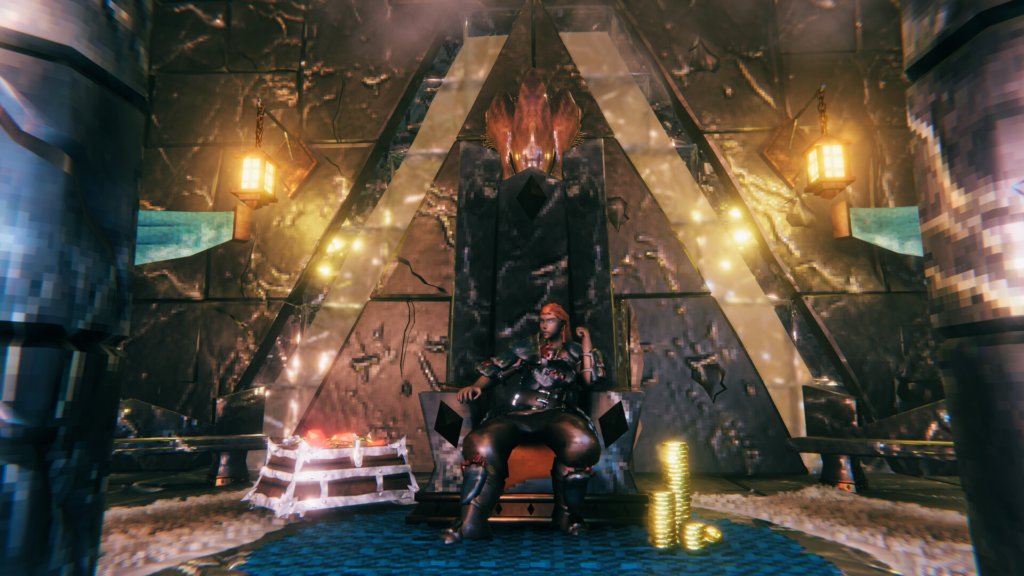
Here’s what separates a host that actually understands Valheim from one just checking a box next to “supports 100 games.”
I. Reliable Uptime
Look for a host that can back up its uptime promises, ideally with a published SLA. A server that goes down the one night your whole group is free defeats the entire point of paying for dedicated hosting.
II. Low Latency
Since Valheim’s peer-to-peer model means the player closest to a given area is effectively hosting that patch of world for everyone else, location matters more here than it does in a lot of other games. Pick a host with a data center near wherever most of your group actually lives, and look for one with locations spread across multiple regions if your players are scattered.
III. Sufficient RAM
Valheim doesn’t need much, but sizing it right still matters:
- Small group (up to 5 players), vanilla: around 4GB is comfortable, and the game’s official minimum sits at 2GB.
- Full server (up to the 10-player cap): 4GB usually still holds, though a CPU with a decent clock speed becomes more important as more players spread out.
- Modded with BepInEx or a full Valheim Plus setup: plan for 8GB or more, since mods and extra content are what actually drive memory use up, not player count.
A host pushing 16GB or higher as a baseline for a small vanilla group isn’t giving you Valheim-specific advice, it’s upselling.
IV. Capable CPUs
Valheim’s server runs mostly on a single core, so clock speed matters far more than core count. Terraforming in particular causes real processing spikes, and a CPU below roughly 3GHz will start to show rubber-banding as the world struggles to keep up with player actions. A modern Ryzen 5 through 9 or an Intel i5 through i9 running at a high clock speed will handle a busy world noticeably better than an older chip with more cores at a lower speed. If you’re choosing between a cheap host advertising a high core count on aging hardware and a host running fewer, faster cores, take the faster clock speed every time.
V. DDoS Protection
Any server reachable by the public is a potential target. Make sure protection is built into the plan rather than something you have to notice is missing and pay extra to add.
VI. Automatic Backups
World corruption tends to show up right after an update, or when a mod hasn’t caught up to a new Valheim patch yet. A host with automatic backups and an actual one-click restore, not a manual process buried behind a support ticket, saves you from losing hours of building and exploring to something you had no control over.
VII. Easy-to-Use Control Panel
A good panel lets you manage the server without digging through a manual, switch between vanilla and modded setups, edit adminlist and bannedlist files, and get real FTP or file access rather than a locked-down list of pre-approved options. Pterodactyl-based and TCAdmin panels tend to be the more modern, flexible choices here.
VIII. Responsive Customer Support
Valheim hosting is a smaller market than something like Minecraft’s, so it’s worth having a support team that’s actually dealt with a BepInEx version mismatch or a crossplay connection issue before, rather than one working from a script written for a completely different game.
3. Check Real User Reviews
Search the provider on Trustpilot and communities like r/valheim before committing. A few patterns show up again and again in real feedback:
- Praise for hosts that are affordable and genuinely responsive when something goes wrong.
- Complaints about lag that turn out to be about server location rather than raw hardware power, which lines up with how Valheim’s peer-to-peer networking actually works.
- Reports of slow ticket responses, sometimes days, particularly around billing questions rather than technical ones.
- Mixed feedback on optional features like server hibernation, which some hosts use to sleep an idle server and which a few users have flagged as slow to wake back up.
One or two of these showing up in a review isn’t unusual for any host. The same complaint showing up repeatedly across dozens of reviews is worth paying attention to.
4. Compare Prices
Most providers charge by RAM tier or by slot count, and it’s worth comparing what you actually get per dollar rather than just the sticker price.
| Provider | Plan | Monthly Price | Slots | Notes |
|---|---|---|---|---|
| Cybrancee | 8GB (Thor) | $15.99 | Unlimited | 90-day refund, frequent promo codes |
| Shockbyte | 4+GB | $14.99 | 10 | Reliable mod support with simple setup |
| Bisecthosting | 6GB | $17.99 | 10 | Established host with global coverage |
| Apex Hosting | 8GB plan | $27.99 | 10 | First month often discounted |
| Pine Hosting | 8GB plan | $30.00 | Custom | CPU-share model, 48-hour refund |
A few things to watch for beyond the sticker price:
- A free trial or a real refund window you can actually use to test the server with your real group, not just a token day or two.
- Promotional first-month pricing that renews much higher, which is worth checking before you commit long-term.
- Hidden fees for backups, mod support, or moving your server to a different location after signup.
The cheapest plan on paper isn’t always cheapest once you factor in what a short refund window costs you if it turns out to be the wrong fit.
5. Look for Extra Perks
Once you’ve narrowed down the basics, a few extras are worth checking for:
- Automated daily backups, ideally with more than a couple of restore points saved.
- One-click mod and DLC support through Thunderstore or BepInEx, so setting up Valheim Plus or a content mod doesn’t mean manually uploading files over FTP.
- Free server migration if you decide to move locations after signup.
- Published uptime guarantees or active infrastructure monitoring.
- Multi-game hosting on the same account, useful if your group ever wants to try something else for a month without cancelling and re-ordering from scratch.
- A genuinely usable refund or trial period, since that’s the easiest way to find out if a host’s advertised specs hold up with your actual group playing on it.
A Quick Note on BepInEx vs. Valheim Plus
These two get brought up together a lot, but they solve different problems.
BepInEx is a modding framework, not a mod itself. It’s what most of Valheim’s custom content runs through, and it’s how you install anything from Thunderstore, whether that’s a small quality-of-life tweak or a full new-content pack. If you want new items, new mechanics, or a significantly different game, BepInEx is the door you walk through to get there.
Valheim Plus is closer to a settings and administration tool. It doesn’t add new content so much as it lets a server owner adjust things that vanilla doesn’t expose, stack sizes, building rules, difficulty scaling, and other quality-of-life options, without touching the actual content of the game.
A host that supports one-click installs for both, rather than just one, saves you from figuring out which you need before you’ve even started playing.
Popular Valheim Hosting Providers
Some of the more established names in Valheim hosting include:
Why Cybrancee Is the Best Choice for Valheim Server Hosting
- Unlimited Player Slots and Storage: No artificial caps to run into as your world or your friend group grows, across every plan tier from Forseti (4GB) up through the 32GB scalable option.
- High-Performance Hardware: Ryzen CPUs clocked over 4GHz paired with NVMe storage, matched to Valheim’s single-thread demands.
- One-Click Mod Support: BepInEx and Valheim Plus installs through the panel, no manual FTP uploads required.
- Modern Control Panel: A customized Pterodactyl build rather than an aging Multicraft-style interface.
- DDoS Protection: Included on every plan, not sold as an add-on.
- Scheduled Backups: Automatic backups with one-click restore.
- 24/7 Support: Human support around the clock, plus an AI assistant for quick questions.
- 90-Day Money-Back Guarantee: Enough time to actually run the server with a real group before deciding, well beyond the 24-hour to 5-day windows most competitors offer.
- Strong Track Record: A 4.8-out-of-5 Trustpilot rating across hundreds of reviews.
You can check Cybrancee Valheim Server Hosting for current plans and pricing.
Final Thoughts
Choosing the best Valheim server hosting comes down to matching a host’s RAM, CPU clock speed, mod support, and backup policy to how your group actually plays, whether that’s a small vanilla world for three friends or a public server running BepInEx mods for a growing community. With 1.0 and crossplay bringing PS5 and Switch 2 players into the mix this September, now’s a reasonable time to get a dedicated server sorted before launch traffic makes support queues longer than usual.
Take the time to read real reviews, check the refund window before you commit, and remember that in a peer-to-peer game like this, server location often matters more than raw specs. The right host means a smooth Viking playthrough and a world your group can actually keep coming back to.
Happy surviving!