

DayZ has never worked like most multiplayer survival games. From the start, playing with other people has meant connecting to a dedicated server, official or community-run, not hosting a quick session off your own machine. The game even ships its own free server tool through Steam (App ID 223350), so in theory anyone can run one. In practice, that means an always-on box, SteamCMD, a forwarded UDP port, and re-running the update every time a patch lands, which is often given how regularly DayZ still gets content drops.
That’s the gap hosting providers fill, and the difference between renting your own server and dropping into a random public hive is control. You set the loot economy, pick the map, choose which mods run, and decide who gets banned for shooting a fresh spawn on sight instead of just letting it happen. The five hosts below all treat DayZ as a real product worth building for, not just another game slotted into a shared control panel.
What to Look For in a DayZ Host
A few things matter more here than they do for a lot of other survival games.
The must-haves:
High clock speed hardware. DayZ leans on single-thread performance more than most survival titles, so a host running modern Ryzen or Xeon chips clocked well above 4GHz handles a full server noticeably better than one squeezing you onto older, overcrowded hardware.
Real Steam Workshop support. Mods are a huge part of DayZ, from full overhauls like DayZ Expansion to entire custom maps like Namalsk, Deer Isle, and Banov. A host that lets you paste in a Workshop ID or collection link and have it just work saves a genuinely annoying afternoon of chasing down files by hand.
Room for the player count you actually want. A private server for four or five friends barely needs 8GB of RAM, but a public server running 40 to 60 players with a loot economy tweak and a couple of maps in rotation needs real headroom. Worth checking whether a host quietly caps slots on its cheapest tier before assuming the advertised price covers what you need.
Backups that actually restore. DayZ still gets regular content updates, and a server running an outdated mod against a new patch is a common way saves get corrupted. Automatic backups with a real one-click restore, not just a promise buried in the FAQ, matter the day something breaks.
DDoS protection. Kill-on-sight is the norm in DayZ, and some players take a bad death out on the server itself rather than just accepting it. Free, built-in protection should be table stakes at this point.
Nice to have:
Server locations spread across the map, which matters a lot for a 40+ player public server and barely at all for a handful of friends in the same country.
Support staff who’ve actually played the game, useful when a mod update breaks something at midnight and a generic troubleshooting script isn’t going to help.
Pricing Comparison
| Hosting Provider | Starting Price | RAM / Slots | Best For |
|---|---|---|---|
 | $14.99/month | 8GB and up | Best overall, unlimited slots from the entry tier |
 | $23.99/month | 8GB, 1-10 players | Widest game library if you rotate titles |
 | $19.99/month | 8GB, 8 slots | Named tiers matched to realistic player counts |
 | $18.50/month | ~8-10GB, 20 slots | Fastest support response times |
 | £10.99/month (~$14) | 8GB, 10 slots | UK/EU players, flagship hardware |
1. Cybrancee
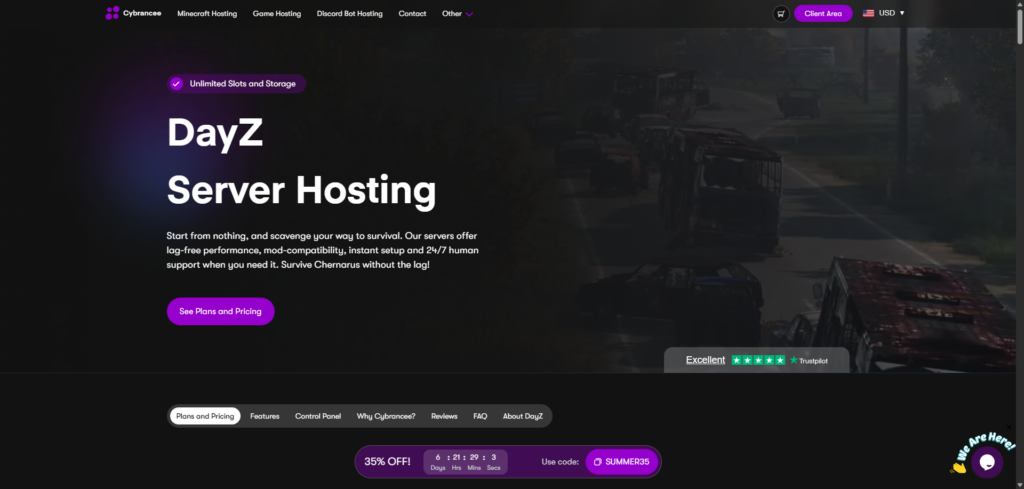
Cybrancee’s DayZ plans start at $14.99/month for the Coastal tier, which gets you 8GB of RAM, and unlike a few hosts on this list, unlimited player slots and unlimited storage are included from that first tier instead of gated behind an upgrade. The three tiers above it, Inland at $19.99 for 10GB, Military at $24.99 for 12GB, and Scalable up to $34.99 for as much as 48GB, all carry the same unlimited-slots policy.
Steam Workshop integration is built straight into the panel: drop the mod IDs into the Startup tab and the server pulls them down on its own. Popular DayZ mods like DayZ Expansion, a trader mod, Namalsk, and a base building expansion are all supported, and vanilla is just as easy to spin up if you’d rather play it straight. Hardware runs on Ryzen CPUs clocked over 4GHz paired with NVMe storage, and the panel itself is a customized build of Pterodactyl, handling real-time monitoring and file management without an FTP client in sight.
Pros:
- Unlimited slots and storage from the entry tier, not just the pricier ones
- Steam Workshop mod installs handled from the panel
- Ryzen CPUs over 4GHz, NVMe storage
- Scheduled automatic backups
- Server locations across North America, South America, Europe, Asia, Canada, and Australia
- 24/7 human support plus an AI companion for quick questions
- 90-day money-back guarantee
- Plants a tree for every server ordered
Cons:
- No free trial, though the 90-day refund window covers most of what a trial would
- The higher RAM tiers cost more than some flat-rate competitors’ equivalent plans, though the unlimited slots make up some of that gap
For a public server that might grow well past what you originally planned, or a small group that doesn’t want to think about slot limits later, Cybrancee is the easiest recommendation here. The 90-day window means you can actually run the server through a real player base for a couple of months before deciding if it’s the right fit.
2. BisectHosting
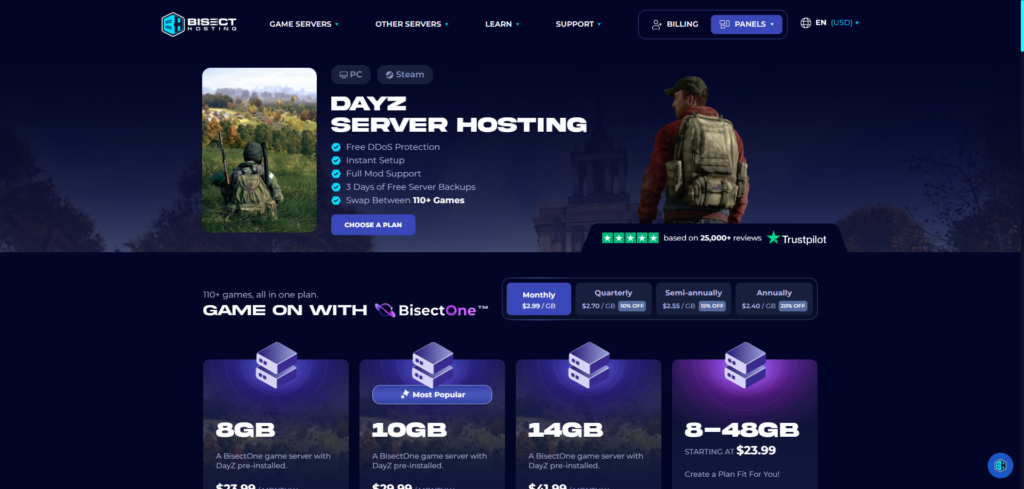
Bisect prices DayZ per gigabyte of RAM instead of flat tiers: $2.99/GB monthly, dropping to $2.40/GB on an annual plan. The entry 8GB plan runs $23.99/month, but it’s worth reading the fine print before assuming that covers a full public server. Bisect lists it as good for 1 to 10 players, with the 10GB tier at $29.99/month stretching to 11-20 players and the 14GB tier at $41.99/month covering 21-32.
Where Bisect pulls ahead is flexibility outside of DayZ itself. Its BisectOne plans cover 110+ other games from the same account, and an Instance Manager lets you run several server setups side by side, so if your group wants to try Palworld or Valheim for a month, you’re not canceling and re-ordering anything. 21 worldwide locations, several of them in Europe, cover a spread-out player base reasonably well, and support tickets average around 15 minutes to a first reply.
Pros:
- Game swapping across 110+ titles from one account
- Instance Manager for running multiple server setups
- 21 global locations, several in Europe
- Free DDoS protection
- Average support response under 15 minutes
Cons:
- Per-GB pricing means a public server with real player counts costs more than Cybrancee’s flat, unlimited-slot tiers
- Backups are free for 3 days, shorter than Cybrancee’s ongoing scheduled backups
- Only a 72-hour money-back guarantee, a fraction of Cybrancee’s 90 days
If your group likes bouncing between games or wants an instance manager for running more than one server setup, Bisect’s tooling is genuinely useful. Just budget for the per-GB pricing once your slot count climbs past a small group.
3. Shockbyte
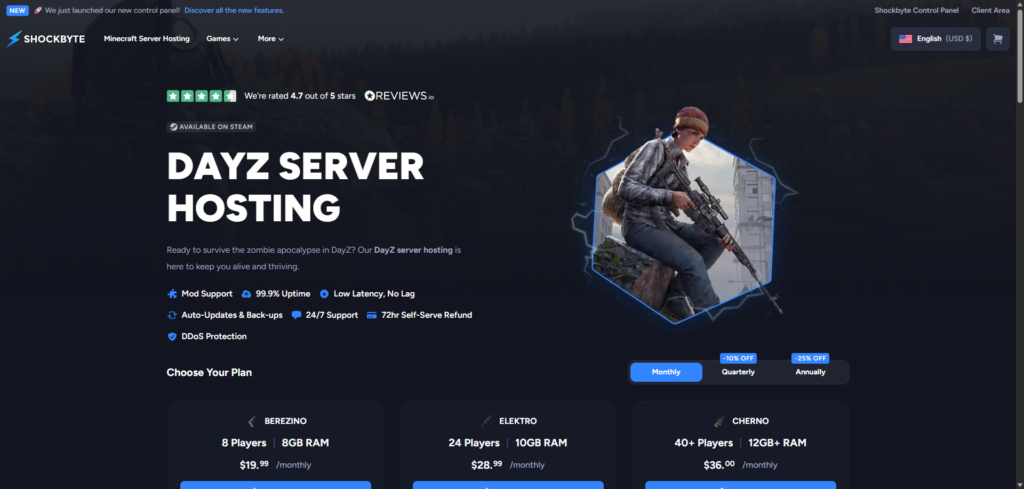
Shockbyte’s DayZ lineup uses named tiers instead of generic numbers: Berezino at $19.99/month for 8 players and 8GB RAM, Elektro at $28.99/month for 24 players and 10GB, and Cherno at $36.00/month for 40+ players and 12GB or more. A custom configurator handles anything outside those three.
The company recently rolled out a new custom control panel, replacing the older Multicraft-based setup, and it’s a real improvement for browsing and installing mods without digging through a raw file list. Hardware specs line up with what Shockbyte runs across its other game lines: modern AMD EPYC processors, which matter for a game like DayZ that leans on single-thread performance more than raw core count.
The honest tradeoff, and it shows up across Shockbyte’s other game hosting too, is billing support speed. Technical tickets move at a decent pace, but billing questions have taken anywhere from five to twelve days to get resolved for some customers. The refund window is also short, just 72 hours of self-serve.
Pros:
- Named tiers matched to realistic player counts (8, 24, 40+)
- New custom control panel, a step up from the old Multicraft interface
- Modern AMD EPYC hardware
- Mod support alongside auto-updates and backups
- Rated 4.7 out of 5 stars
Cons:
- Billing support response times are the slowest reported on this list, sometimes five to twelve days
- Only a 72-hour self-serve refund window
- No unlimited-slots option, so cost climbs as the named tiers do
Shockbyte earns its spot as a host that’s spent years focused on this kind of game hosting and knows what a DayZ server actually needs. Just don’t expect a fast answer if a billing question comes up.
4. Host Havoc
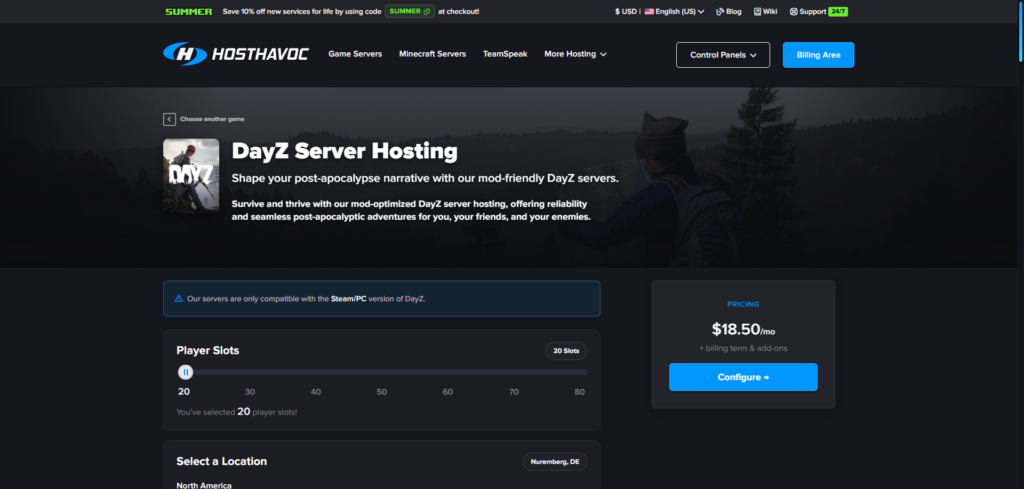
Host Havoc prices DayZ by slot count rather than RAM: a 20-slot server runs $18.50/month, with a slider that scales up to 80 slots and RAM adjusting automatically as you go. Unlike most hosts on this list, Host Havoc owns and operates its own hardware instead of leasing it, running a mix of Xeon and Ryzen CPUs with DDR4 and DDR5 memory and NVMe storage.
Support is the standout here. Host Havoc advertises an average ticket response time under 10 minutes, faster than anyone else on this list, including Bisect’s already-quick 15-minute average. Steam Workshop integration supports any mod or mission file out of the box rather than a curated list, and the panel includes a web RCON button, a log viewer, and offsite backups with one-click restores.
The panel itself, a modified version of TCAdmin v2, is the one place Host Havoc starts to feel dated next to Cybrancee’s Pterodactyl build or Bisect’s Starbase. European coverage is solid, with locations in London, Amsterdam, Frankfurt, and Nuremberg (their recommended EU node), alongside North American and Asia-Pacific options.
Pros:
- Fastest average support response time on this list, under 10 minutes
- Owns and operates its own hardware
- Any mod or mission file supported out of the box
- Slider pricing that scales cleanly from 20 to 80 slots
- EU locations including London, Amsterdam, Frankfurt, and Nuremberg
Cons:
- The TCAdmin v2 panel is functional but shows its age next to newer competitors
- Only a 72-hour satisfaction guarantee
- No flat unlimited-slots tier the way Cybrancee offers
If fast support matters more to you than a modern-looking panel, Host Havoc is a solid pick, and running their own hardware instead of leasing it is a genuine point in their favor.
5. GTX Gaming
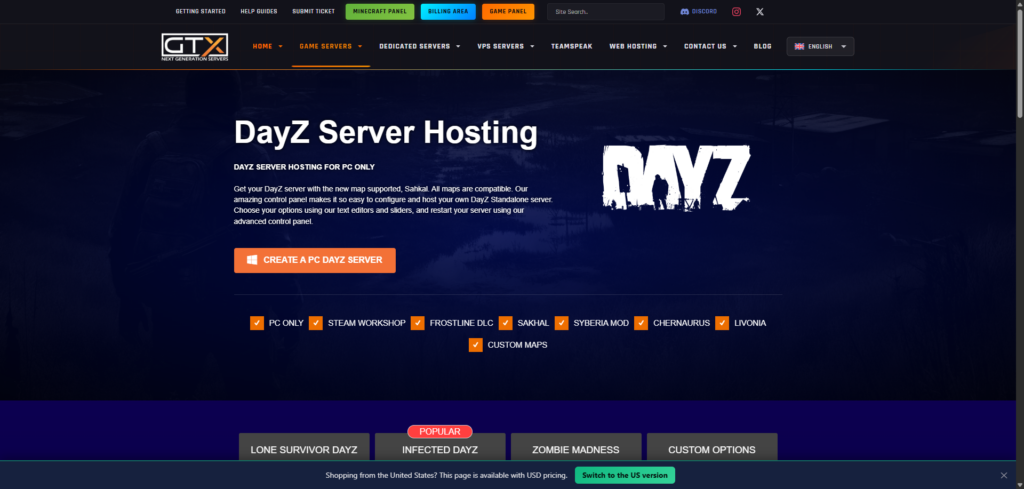
GTX Gaming has been hosting game servers since 2007 and built a strong following in the UK and European market specifically. DayZ plans start with Lone Survivor at £10.99/month (roughly $14), covering 10 player slots, 8GB RAM, and 100GB of NVMe storage. Infected steps up to 30 slots and 12GB for £29.97/month, and Zombie Madness covers 60 slots and 16GB for £57.95/month. Custom options exist for anything in between.
Hardware is genuinely high-end: Intel’s 2288G and 13900K alongside AMD chips ranging from the 5800X up to the 7950X3D, well past what most budget hosts run for a game that rewards strong clock speeds. Steam Workshop installs are one click, and DayZ Sync is supported for players who want to join a modded server without manually chasing down every file first. Worldwide coverage spans North America, the UK, mainland Europe, and Asia-Pacific.
The tradeoffs are the same ones GTX carries across its other game hosting. Pricing in GBP is a minor hassle to convert if you’re not in the UK or EU, and the refund window is just 24 hours, the tightest on this list by a wide margin. The panel setup is also split across a few separate tools: general management, RCON, a location ping tester, rather than one unified dashboard.
Pros:
- Flagship hardware, including Intel’s 13900K and AMD’s 7950X3D
- One-click Steam Workshop installs and DayZ Sync support
- Worldwide server locations
- Rated 4.7 out of 5 on Trustpilot
Cons:
- Just a 24-hour money-back guarantee, the tightest window on this list
- Pricing in GBP adds a small conversion step for non-UK/EU customers
- Panel setup spans a few separate tools rather than one unified interface
If your player base is mostly European or you specifically want that flagship hardware, GTX is worth a look. Just decide quickly, since there’s no real trial period to fall back on.
Vanilla vs. Modded DayZ Servers
If you’re new to DayZ hosting, the vanilla-versus-modded question comes up fast, so here’s the short version.
Vanilla is the game exactly as it ships from Bohemia Interactive: Chernarus, standard loot tables, no extras. It’s what most public hive servers run, and it’s a fine starting point for a group that just wants the base survival experience.
Modded servers add anything from small quality-of-life tweaks to full overhauls. DayZ Expansion is the most common starting point, layering in vehicles, base building, and a trader system on top of vanilla survival. Custom maps swap out the world entirely: Livonia is an official DLC map, while Namalsk, Deer Isle, and Banov are community-built. Sakhal, added more recently, needs the Frostline DLC depending on the server.
Getting mods onto a server almost always runs through Steam Workshop, and most hosts on this list handle the install from their panel: paste in a Workshop ID or collection link, and it downloads and activates on the next restart. A few also support DZSA Launcher, which lets players find and join a modded server without hunting down every file by hand first.
Conclusion
Cybrancee tops this list because it doesn’t gate the basics behind a pricier tier. Unlimited slots and storage from the $14.99 entry price, Steam Workshop installs that don’t need a support ticket, and a 90-day window to actually test the server with real players put it ahead for most people, whether you’re running a small private server or a public one that might outgrow its original plan.
The other four earn their spots for narrower reasons. BisectHosting is worth it if you want to run multiple server setups or swap between games from one account. Shockbyte makes sense if you want named tiers that map cleanly to realistic player counts, as long as you don’t need to reach billing support in a hurry. Host Havoc is the pick if fast support matters more than a modern-looking panel, and running their own hardware instead of leasing it counts for something too. GTX Gaming is the strongest option for European players who want flagship CPUs, as long as you decide fast given the 24-hour refund window.
DayZ doesn’t forgive a bad server the way some games do. A dropped connection or a laggy tick rate mid-firefight can cost hours of gear and progress, so the host underneath your server matters more here than it does for something more forgiving. Check what player count and RAM your group actually needs before you buy, not just what the plan page tells you is enough.
Happy surviving!
If you think your business should be on our list, contact us.