




Space Engineers is one of those games where “we’ll just build a small mining ship” turns into a persistent world with a dozen capital ships, three space stations, and a Discord channel dedicated entirely to arguing about who welded the reactor backwards. Keen Software House built a voxel sandbox around real physics, and once a group of friends starts stacking blocks together, the appeal of a shared, always-on world becomes obvious fast.
Running that shared world off someone’s gaming rig works for about as long as it takes for that person to need their PC back. Space Engineers doesn’t pause when the host logs off, ship damage doesn’t wait for a good time, and a world file sitting on a laptop is one crash away from losing a station three months in the making. A dedicated server solves the obvious problem. Finding a host that actually understands how demanding Space Engineers gets under the hood is the harder part.
Space Engineers isn’t like most survival games when it comes to hosting. Every block and every piece of debris carries real mass and inertia, and the game’s simulation has to calculate all of it continuously rather than just when someone’s looking. A busy server with large grids, an active faction war, and a dozen players welding at once will lean on CPU and RAM in ways a lightweight survival game never will. The five hosts below actually build around that instead of treating Space Engineers as a footnote next to their Minecraft or Rust plans.
What to Look For in a Space Engineers Host
The checklist here runs a bit longer than a typical survival game, mostly because the simulation itself asks more of the hardware underneath it.
The must-haves:
Real CPU headroom, not just an advertised core count. Space Engineers’ volumetric physics engine leans hard on single-thread performance for its main simulation loop, so a host stacking dozens of servers onto an old, overcrowded box will choke on large grids even with plenty of RAM sitting unused.
Enough RAM for actual grids, not a starter base. A small co-op outpost with a handful of ships runs fine on 6GB. A server with multiple capital ships, several stations, and an active faction or two wants closer to 10 to 14GB, since block count and entity load add up fast in a persistent world.
Workshop and Torch support through the panel. Most serious Space Engineers communities run on Torch, the community-built dedicated server wrapper that adds plugin support and better stability on top of the base game’s server executable, alongside direct Steam Workshop integration for mods and blueprints. A host that only offers the vanilla dedicated server binary is missing half the ecosystem.
Backups that actually restore. Space Engineers worlds are surprisingly fragile compared to a Minecraft save, since a corrupted grid or a bad mod update can take down an entire station. Scheduled automatic backups with a real one-click restore matter more here than in most other survival games.
PCU awareness in the panel. Performance Cost Units cap how much block complexity a player or faction can run, and a host whose control panel surfaces that setting clearly saves a confused conversation the first time someone’s refinery build gets capped.
Nice to have:
Xbox and PC crossplay support, useful if part of the group plays on console and barely relevant otherwise.
Server locations spread across regions, which matters for a public server with a scattered player base and barely at all for four friends in the same country.
An active Discord community, handy when a Workshop mod update breaks something at midnight, though it shouldn’t replace a real support ticket system.
Pricing Comparison
| Hosting Provider | Starting Price | RAM (Entry Tier) | Best For |
|---|---|---|---|
 | $11.99/month | 6GB | Best overall, cheapest tier with real headroom for grids |
 | ~$17.99/month (priced per GB) | 6GB | Instance Manager, swapping between 100+ games |
 | $16.99/month | 6GB, 5 players | Familiar Shockbyte panel, but the game is still rolling out |
 | $12.00/month | 15 slots, ~8GB | Cross-play support, TCAdmin panel |
 | ~$12.00/month | 10 slots, up to 10GB | UK/EU players, official partner build |
1. Cybrancee
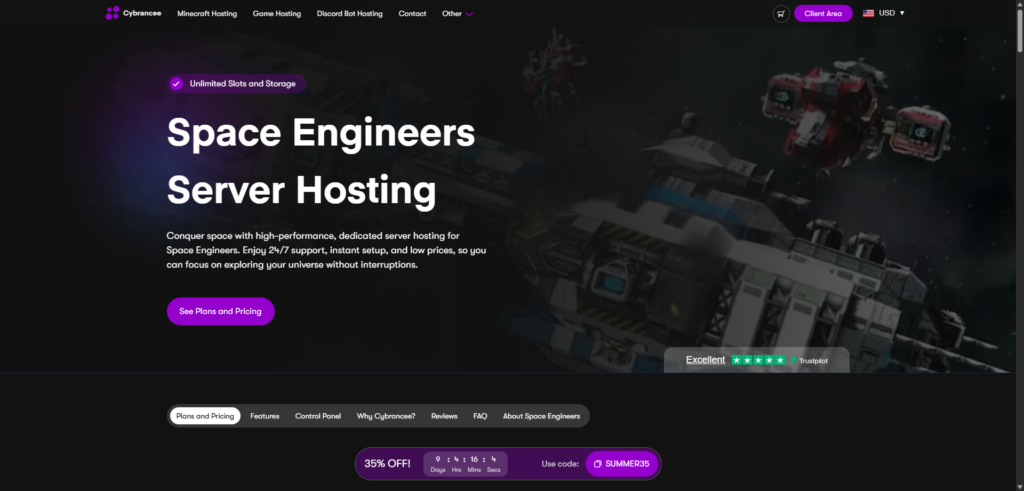
Cybrancee’s Space Engineers plans start with the Earth-like tier at $8.99/month for 6GB, stepping up to Triton at $19.99 for 10GB, Alien at $29.99 for 14GB, and a Scalable tier at $39.99 for 20GB for communities running several capital ships and stations at once. Every plan comes with unlimited bandwidth and unlimited storage, which matters more for Space Engineers than it sounds, since a busy world with a lot of Workshop content and blueprint saves can eat disk space faster than a fresh install ever suggests it will.
Hardware runs on Ryzen CPUs clocked over 4GHz, a genuine fit for the single-thread demands of Space Engineers’ physics simulation, paired with NVMe storage for the grid and voxel data. Torch is supported alongside the vanilla dedicated server build, and Steam Workshop mods and blueprints install straight from the panel rather than requiring a manual file drop. The panel itself is a customized build on Pterodactyl, a step up from the older Multicraft software a couple of competitors on this list are still running.
Pros:
- Real CPU headroom at each step
- Ryzen CPUs over 4GHz, a genuine match for the single-thread physics engine
- Torch support alongside the vanilla dedicated server build
- Direct Steam Workshop integration for mods and blueprints
- Unlimited bandwidth and storage on every plan
- Scheduled automatic backups with one-click restore
- Server locations across North America, Europe, Asia, and Australia
- 90-day money-back guarantee
- 24/7 human support plus an AI assistant for quick questions
Cons:
- No free trial, though the 90-day refund window covers most of what a trial would anyway
For a small co-op outpost or a growing faction server that might outgrow its starting tier, Cybrancee is the easiest recommendation here. The 90-day window means a station can actually get built out and stress-tested before deciding whether the host was the right call, instead of guessing from a pricing page.
2. BisectHosting
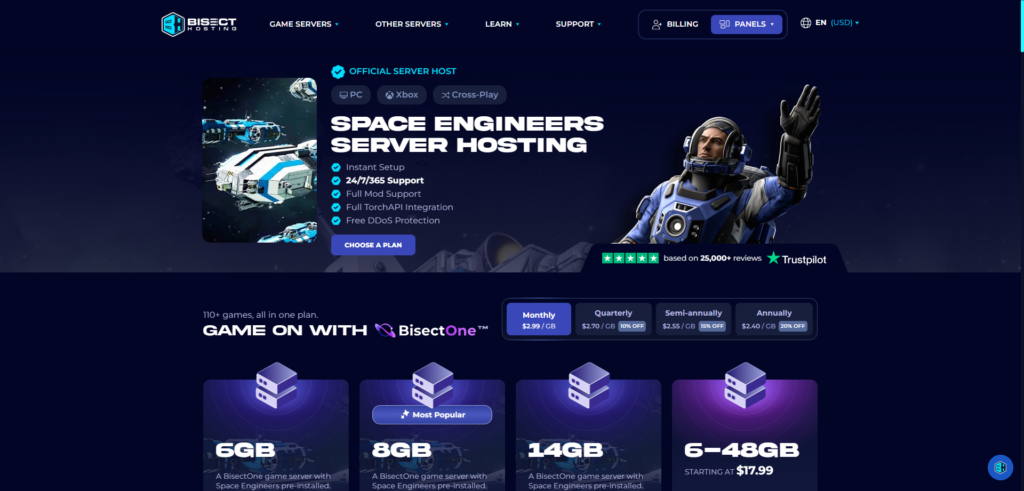
Bisect has been running game servers since 2011, and Space Engineers goes through its general per-GB pricing model rather than a dedicated flat tier. That works out to roughly $2.99 per GB, putting a usable 6GB server around $17.99/month and a heavier 12GB setup closer to $35.98/month for a busier world with more active grids.
The standout feature is the Instance Manager built into Bisect’s Starbase panel, which lets one account run multiple server setups and swap between them without ordering anything new, useful if a group’s interest drifts between Space Engineers and something else some months. MariaDB and MySQL support come built in for anyone running Torch plugins that want a real database, and support tickets average under 15 minutes to a first response.
Pros:
- Instance Manager for running multiple server setups on one account
- MariaDB/MySQL support built in for Torch plugin databases
- 21 global server locations
- Average support response under 15 minutes
- Free DDoS protection on every plan
Cons:
- Per-GB pricing climbs faster than Cybrancee’s flat tiers once a world needs real headroom
- Only a 3-day money-back guarantee, a fraction of Cybrancee’s 90 days
- Promotional first-month pricing tends to renew higher, worth checking before committing long-term
If a group likes to hop between games or wants Torch running against a real database instead of flat files, Bisect’s tooling earns its keep. Just watch the renewal price and don’t count on much of a refund window if it’s not the right fit.
3. Shockbyte
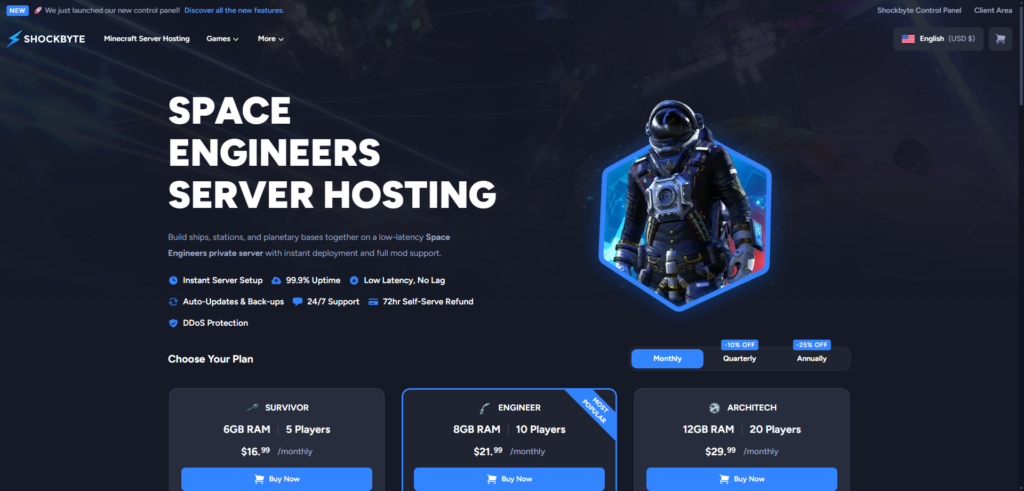
Shockbyte has spent over a decade building a reputation on survival and sandbox titles, and it’s now getting Space Engineers into its lineup with three slot-based tiers: Survivor at $16.99/month for 6GB and 5 players, Engineer at $21.99 for 8GB and 10 players, and Architech at $29.99 for 12GB and 20 players. The pricing runs on the higher end for this list, and it comes with a catch worth flagging upfront: as of this writing, Shockbyte’s own product page still lists Space Engineers hosting as “coming soon,” with plans and pricing already published ahead of a full launch.
That’s not necessarily a dealbreaker. Shockbyte’s newer custom control panel, the same one it uses across its other titles, already handles mod browsing and one-click installs cleanly, and the company’s reputation for DDoS protection and uptime SLAs carries over from its other game lines. It just means anyone eyeing Shockbyte for Space Engineers specifically should check whether the game has gone fully live before buying in, rather than assuming day-one feature parity with a host that’s been running the game for years.
Pros:
- Familiar, well-reviewed custom control panel shared across Shockbyte’s other titles
- DDoS protection and an uptime SLA carried over from its established game lines
- 72-hour self-serve refund policy
- Rated 4.7 out of 5 stars overall
Cons:
- Listed as “coming soon” at the time of writing, so full Space Engineers support isn’t confirmed live yet
- Highest starting price on this list at $16.99/month for just 5 player slots
- No public track record yet for Space Engineers specifically, unlike its long-standing Minecraft and Rust hosting
Shockbyte is worth watching rather than buying into immediately. If the familiar panel and Shockbyte’s general reputation matter more than being an early adopter, it’s worth checking back once the “coming soon” label actually comes off.
4. HostHavoc
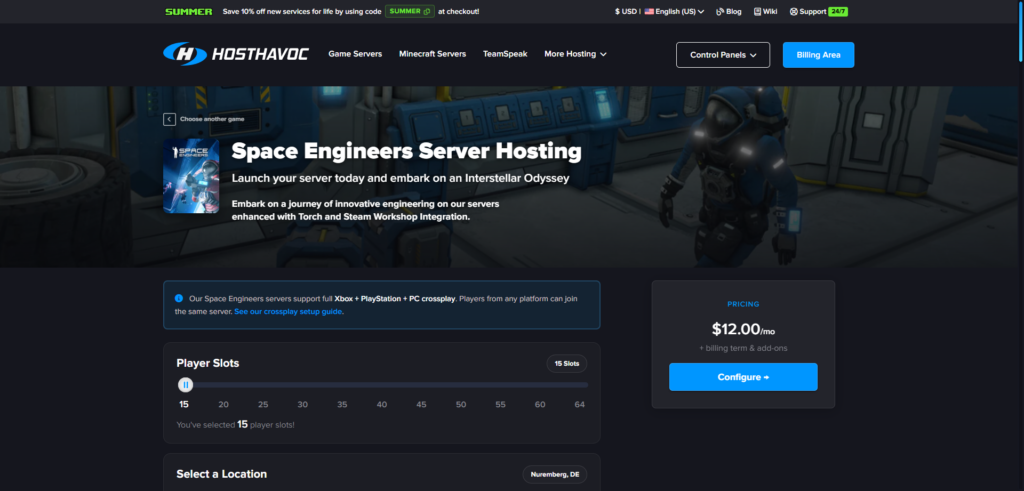
HostHavoc has quietly built a reputation among survival and sandbox communities, and its Space Engineers offering reflects that with a straightforward entry point: $12.00/month for a 15-slot, roughly 8GB plan built on the TCAdmin v2 panel. TCAdmin isn’t the newest-looking software on this list, but it’s a proven, consistent control suite that both first-time server owners and power users can navigate without much of a learning curve.
Workshop content, Torch, and plugin support all install through the panel, and full FTP access is available for anyone who wants to get hands-on with configuration files directly. HostHavoc also supports Xbox and PS5 crossplay for groups with console players mixed in, which not every host on this list bothers to handle cleanly. The tradeoff is a fairly standard 72-hour refund window on a first purchase, well short of Cybrancee’s 90 days.
Pros:
- Straightforward $12.00/month entry point for a real Space Engineers plan
- Torch and Workshop support through the TCAdmin v2 panel
- Xbox and PS5 crossplay support
- Full FTP access
- 24/7 support with a strong reputation for fast responses
Cons:
- 72-hour refund window on a first purchase only, a fraction of Cybrancee’s 90 days
- TCAdmin’s interface feels dated next to Cybrancee’s and Bisect’s newer panels
- Fewer global locations than the larger hosts on this list
HostHavoc is a solid pick for a group that wants console players in the mix and doesn’t need a long trial window to feel confident in the purchase. Just don’t expect the newest-looking panel while you’re managing it.
5. GTX Gaming
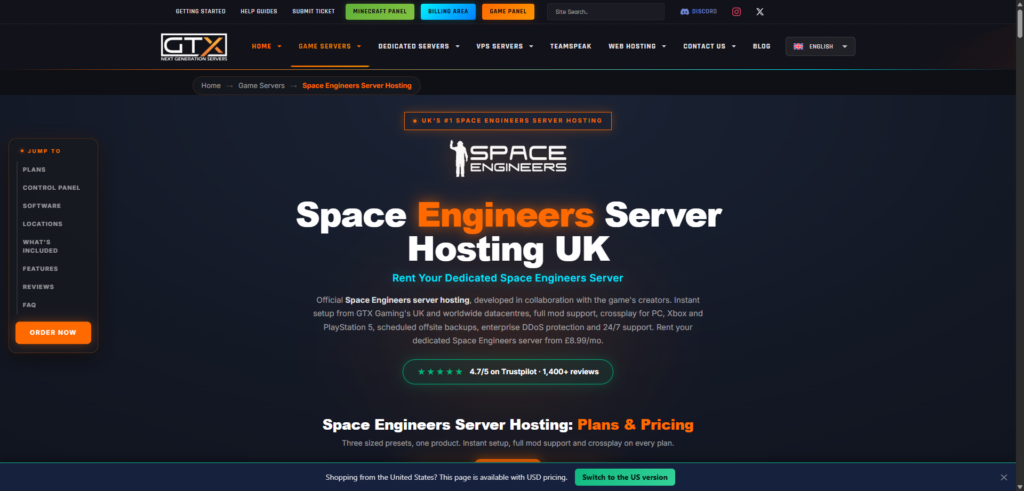
GTX Gaming has been around since 2007 and built a strong following in the UK and European market. Space Engineers plans are priced per slot: a Basic plan at around $11.39/month covers up to 10 slots on 10GB, a Recommended plan runs about $41.94 for 30 slots on 12GB, and an Ultra plan tops out around $77.81 for 60 slots on 16GB for a heavily populated faction server.
GTX holds an official partnership status for Space Engineers hosting, which comes with a genuinely fast setup process and automatic updates handled on the provider’s side rather than requiring manual patching. Full Workshop and Mod.io support pulls directly through the panel. The panel setup itself is more fragmented than some competitors, splitting general server management, Space Engineers-specific controls, and mod browsing across separate tools rather than one unified dashboard, and community forums have flagged occasional stuttering and rubber-banding on busier GTX servers during peak load.
Pros:
- Official Space Engineers hosting partner with fast auto-updates
- Full Workshop and Mod.io support
- Slot-based pricing that scales clearly for larger faction servers
- Global data center locations across the US, EU, and Asia
Cons:
- Just a 24-hour money-back guarantee, the tightest window on this list
- Panel setup spans multiple separate tools rather than one unified interface
- Some community reports of stuttering and rubber-banding on busier servers
- Pricing in GBP-equivalent terms is a minor hassle to track for non-UK/EU customers
If official partner status and console-grade auto-updates matter more than panel polish, GTX is worth a look, especially for a European player base. Just keep an eye on performance if the server population climbs toward the higher tiers.
Why RAM Isn’t the Whole Story for Space Engineers
Space Engineers measures its own health in sim speed rather than FPS, and a server running at 1.0 sim speed is keeping up with real time exactly as intended. The moment sim speed drops below that, every player feels it as input lag on their ship controls, not just a number in a debug menu.
RAM matters, but it’s the CPU that usually decides whether a busy world stays smooth. The game’s volumetric physics has to calculate mass, inertia, and collision for every block on every grid continuously, and that calculation leans heavily on single-thread performance no matter how many cores the underlying server has. A host advertising a high core count isn’t necessarily doing you any favors if the per-core clock speed is mediocre, which is exactly why the hosts on this list that lean on modern Ryzen hardware tend to hold up better once a world gets a few capital ships deep.
PCU, Performance Cost Units, is the game’s own answer to this problem. Every block carries a PCU cost, with more complex blocks like refineries and assemblers costing more than a simple light block, and server owners can cap PCU per player or per faction to keep any one grid from tanking performance for everyone else. A host whose panel surfaces that setting clearly, rather than burying it in a config file, makes tuning a busy world a lot less painful.
Conclusion
Cybrancee tops this list because it prices real CPU and RAM headroom into its cheapest usable tier instead of making a group discover mid-build that their starter plan can’t handle a second capital ship. Four clear tiers, Ryzen hardware built for the game’s physics-heavy simulation, direct Torch and Workshop support, and a 90-day window to actually stress-test a growing world puts it ahead for most groups setting one up.
The other four earn their spots for narrower reasons. Bisect is worth it if the group wants Torch running against a real database or the flexibility to swap between several server setups from one account. Shockbyte is worth keeping an eye on if you’d rather wait for its Space Engineers hosting to come fully online before trusting it with a serious world. HostHavoc is the pick for a straightforward, console-friendly setup without paying for features you won’t use. GTX Gaming is the strongest option for European players or communities that want official partner status and fast auto-updates, as long as the 24-hour refund window doesn’t get in the way of deciding, and the server doesn’t grow past what its hardware comfortably handles.
Space Engineers is a genuinely different hosting problem than most survival games, and the gap between a host that understands its physics-heavy simulation and one that doesn’t shows up the moment a world has more than a couple of ships in it. Check what your specific build actually needs before buying, not just what the plan page claims is enough.
Happy building!
If you think your business should be on our list, contact us.