

Counter-Strike has grown over the years through different versions, building an impressive franchise. From the legendary Counter-Strike 1.6 that almost everyone played at one time in their childhood to Counter-Strike: Global Offensive, which is also very well known for its remarkable legacy, followed by a free overhaul update on 27 September 2023, being renamed to Counter-Strike 2.
Counter-Strike 2 is a tactical first-person shooter, especially built around competitive map-based gameplay through Valve’s official servers, meaning players have access to public matchmaking where they can compete with other players through skill groups or CS Rating in Premier mode, but community servers give players and server owners more freedom to experience the game in different aspects. Instead of focusing on a specific matchmaking mode, like competitive, community servers can manage multiple maps, game modes, player groups, and even custom content.
When creating your community server, choosing the right maps can have a major impact on it. For example, some maps feel familiar to almost every player who has played Counter-Strike at least a few times, while others can offer something different and make people return to your server for a new experience.
Whether you’re thinking about running a 5v5 competitive server, deathmatch server, casual server, or a modified server, selecting the maps that suit your server type is a very important part of building an active Counter-Strike server.
In this blog, we’ll take a look at some of the best Counter-Strike 2 maps for a community server, what makes each one suitable for you, how to choose the right maps for your server type, alongside some common mistakes to ensure a great experience.
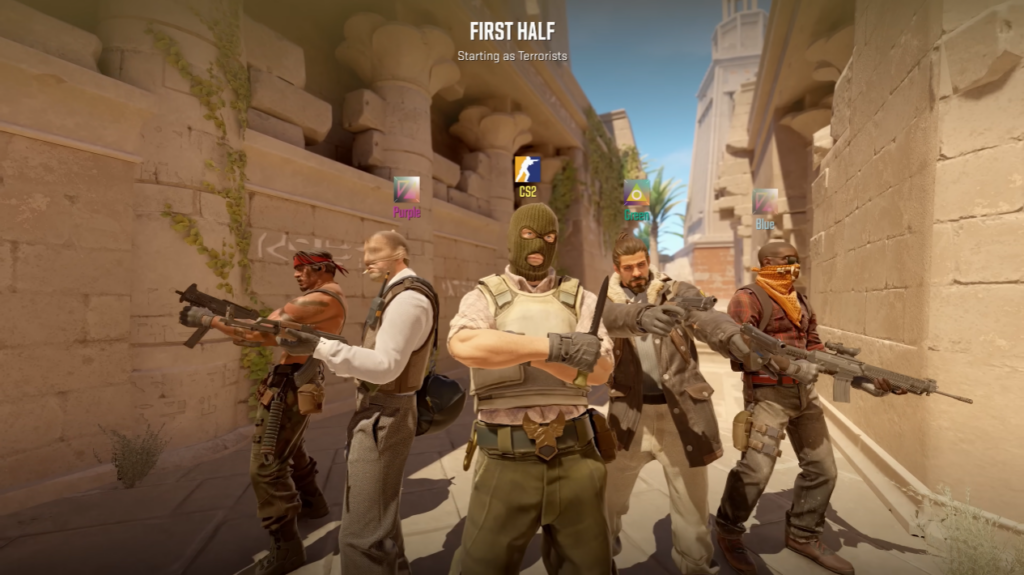
What Makes a Good CS2 Community Server Map?
Before we begin, it is very important to know what to look for when searching for a good map that matches your server. This is what you should look for:
Familiarity
A familiar map will always have an obvious and useful advantage for a community server: players already know it and are looking to play on it.
For example, maps such as Dust II, Mirage, and Inferno have been played by the community for a very long time, so even a person who hasn’t played Counter-Strike ever still knows these maps.
This means your server can benefit from a few extra players who are looking for a classic Dust II/Mirage experience, joining the server without having to worry about learning the map and understanding its layout and tactics.
Balanced Layout
A good map doesn’t always mean that it is well-known. In this case, a good map should have a balanced layout, giving both teams reasonable opportunities. You should consider a map that offers sufficient bomb site accessibility, rotation times, defensive positions, utility opportunities, and so on.
That being said, the map doesn’t need to be perfectly balanced in order to be considered a great map for your community server; a well-designed map should provide both sides with multiple strategic options.
Replayability
If they’re running a well-balanced map pool, community servers can have players returning to the same maps hundreds of times. Keep this in mind: a map with multiple routes that can offer different strategies and utility usage can easily remain interesting for a long time.
A map that offers too few attacking and defending options will eventually lead to a repetitive experience that will upset most players out there, especially if they’re looking for something different and unique.
The Best CS2 Maps for Community Server
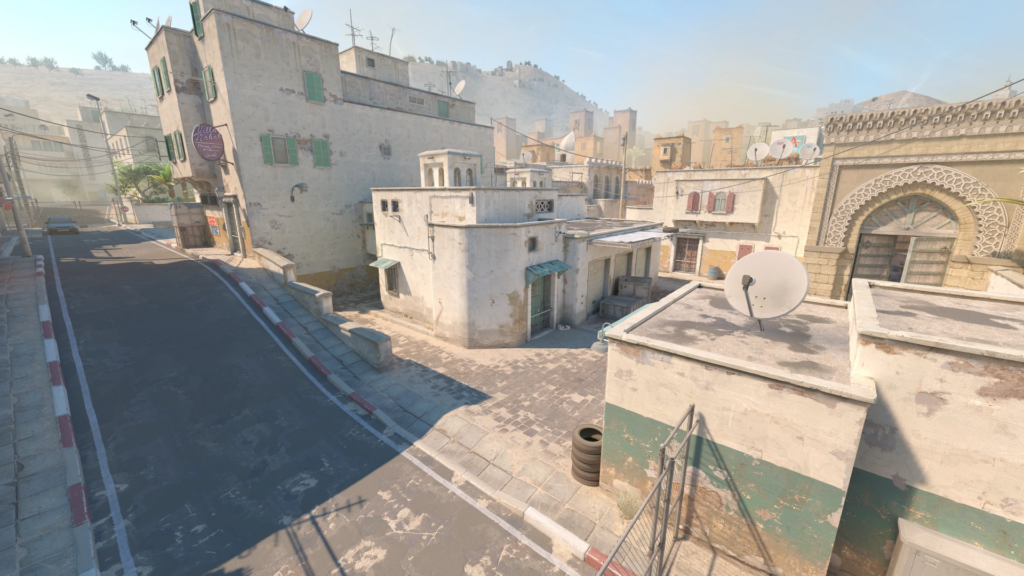
Dust II
Dust II is one of the most recognisable maps in the Counter-Strike universe, being an easy and understandable choice for most server owners. First released in March 2001 for Counter-Strike, it constantly evolved through all the versions until Counter-Strike 2.
The map uses a straightforward layout, very efficient for beginners, with a total of two bomb sites and several simple routes that are very popular in the community, such as Long A, Short, Mid, and B Tunnels.
Its simplicity and familiarity are one of the biggest advantages of this iconic map, making it easy for players who are new to the game to quickly adapt and learn the map efficiently without many difficulties.
Valve itself describes Dust II as a quintessential Counter-Strike map, remaining forever a part of Counter-Strike’s map ecosystem and people’s hearts.
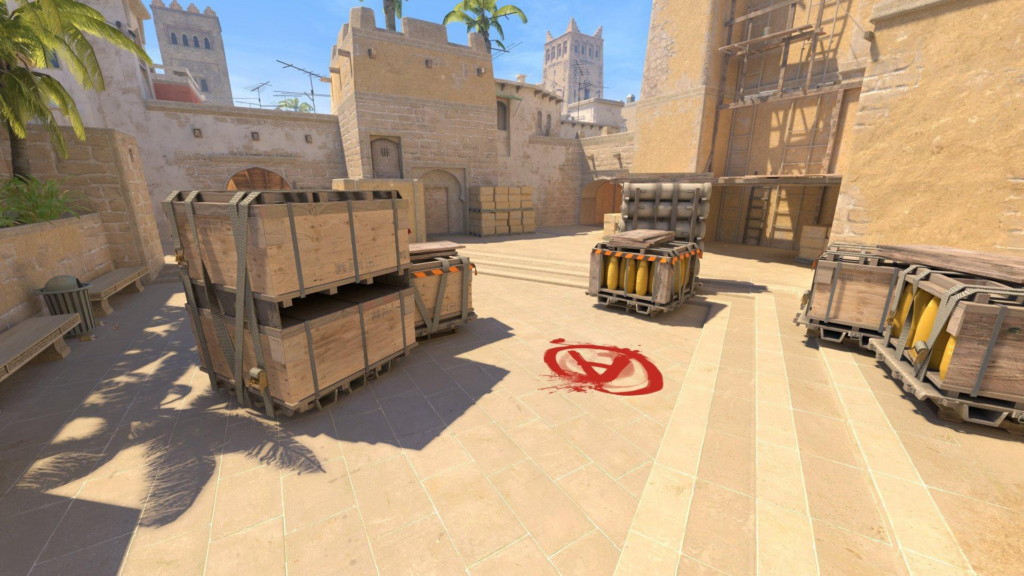
Mirage
The next map on our list is Mirage, an excellent and versatile map choice for your server. With an easy-to-understand map layout, consisting of two bomb sites, and simple routes such as Middle, Short, Window, B Apartments, A Ramp, Palace, and much more for you to discover.
Mirage was released officially in 2013 by Valve with the launch of Counter-Strike: Global Offensive; since then, it quickly became one of the most appreciated maps by the community.
This map works well because it provides both close and long-range engagements. You can execute several tactics such as mid control, site executes, and rotations, making it the best choice for those who are looking for balance along with some traditional competitive gameplay.
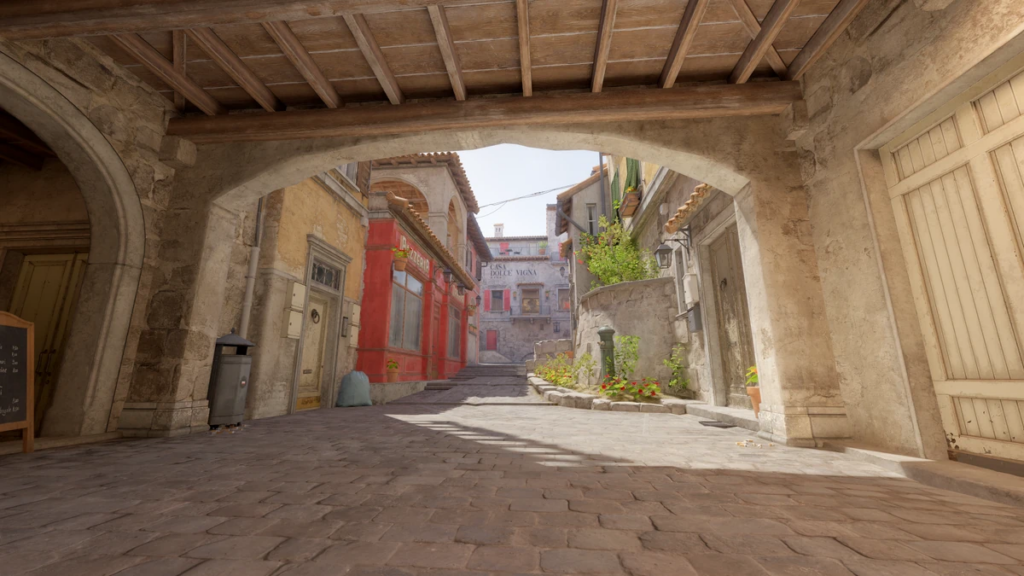
Inferno
Moving on, Inferno is our next map on the list. Featuring Italian architecture, Inferno has been highly appreciated by the community over the years, well known for its narrow pathways such as Banana and chokepoints. Compared with Dust II and Mirage, this map relies more on utility and coordinated teamwork.
Inferno was introduced in a 2001 update for the original Counter-Strike, and since then it has continuously grown over the years, featuring multiple reworks. The map offers multiple key areas such as Mid, Apartments, Pit, and Library, along with the two bomb sites.
Inferno can actually be a great choice for your server if you’re looking for teamwork and planned executions, rather than a solo experience. Its established layout makes it easy to learn multiple setups and tactics.
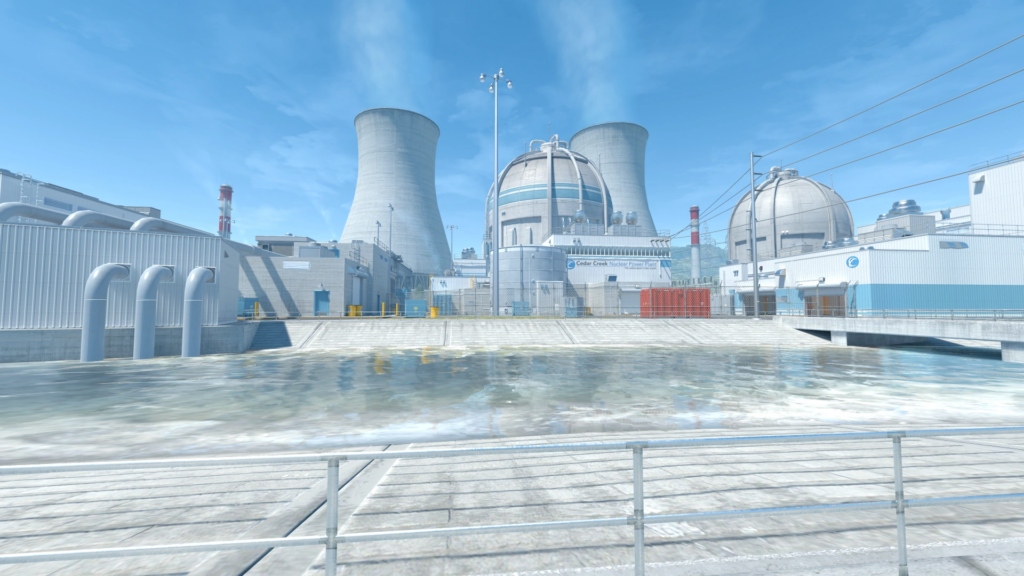
Nuke
Nuke is a little different because it features a unique map layout with two main levels, with A Site on the upper floor and B Site being located in the underground. The community loves this map because it requires movement knowledge to be played efficiently.
Nuke was released for the first time in November 1999 for the original Counter-Strike and subsequently for later versions with multiple redesigns. Compared to the other maps, Nuke relies heavily on vertical movement and rotations; that’s why players will need to understand how the upper and lower levels connect in order to move quickly around the map.
Because of that, Nuke still remains a great choice for a community server, but for those who already understand Counter-Strike’s basic mechanics. It provides more strategic depth than simpler maps, but this doesn’t mean it is impossible to master; it just requires a little more time and effort.
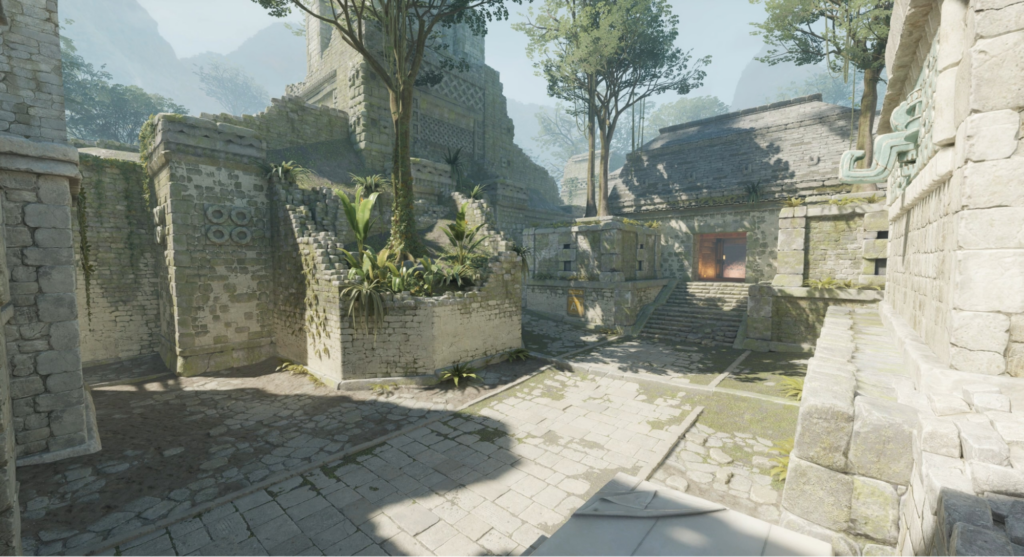
Ancient
The next map we’re talking about is Ancient, featuring a unique jungle-style architecture that’s very similar to Aztec. This map was introduced during Operation Broken Fang in CS:GO, and it quickly became part of the competitive map pool.
Ancient features a mixture of tight paths and open areas with long-range engagements. Speaking of tactics, this map fits perfectly because several site entrances can be difficult to push without grenades and executes. For example, Mid Control is easily the most important tactic, as it can give your team multiple options to attack both bomb sites through multiple routes.
When it comes to community servers, Ancient is useful for servers that want to offer something different than the classic Dust II or Mirage experience. It provides a modern tactical experience while still following the familiar bomb-defusal game mode. Also, this map features multiple key areas that are relatively easy to remember, such as Donut, Cave, B Ramp, Temple, Redroom, and much more.
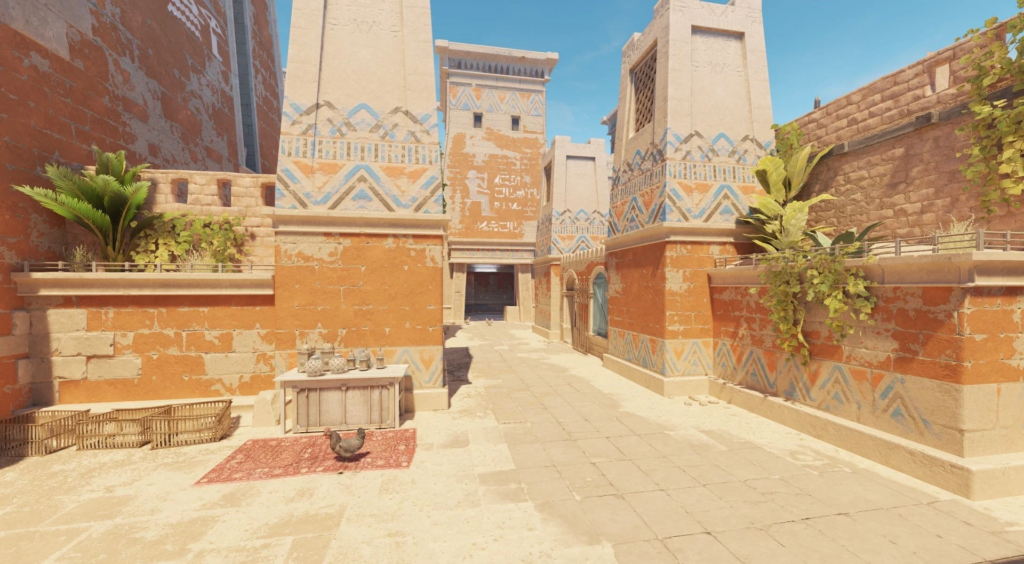
Anubis
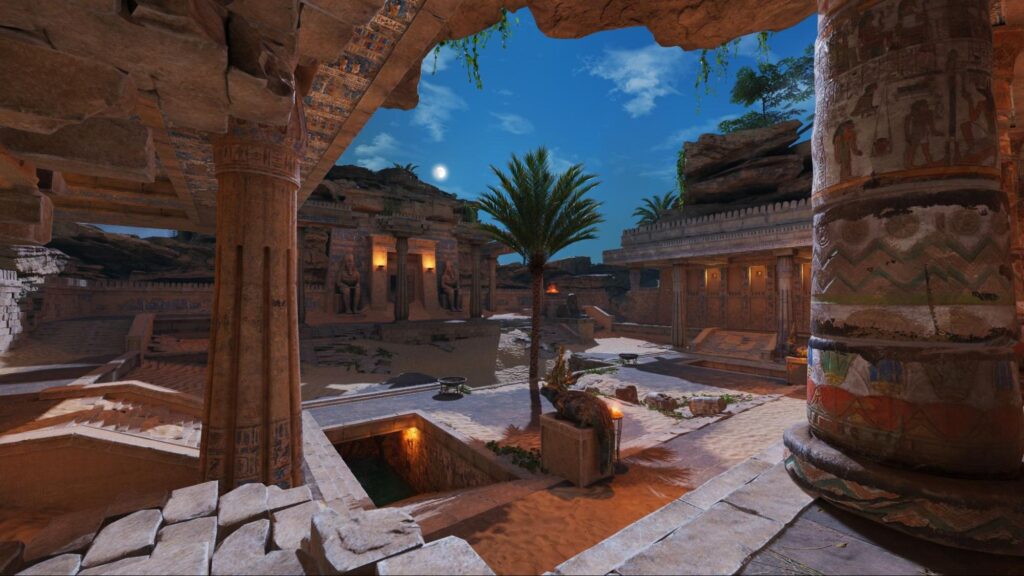
Anubis is an Egyptian-inspired map that is built around historic temples, canals, and open areas. This map has a noticeably different layout than the rest of the maps, offering several interconnected routes and interesting angles.
It was added to CS:GO back in 2020, being available only in Scrimmage mode, but it eventually found its way to the Active Duty Group, replacing Dust II on November 18, 2022. This map features a lot of important callouts such as Mid, A/B Main, Water, Connector, Palace, and much more.
When it comes to gameplay, Anubis provides a tight mixture between open and narrow areas. Middle and the connecting routes can become the most important and dangerous areas on the map because the Terrorists can use them to generate pressure and to change their path at any time.
Anubis will surely add some variety to your community server’s map rotation. Being extremely useful if you don’t want your map pool to consist only of older maps.
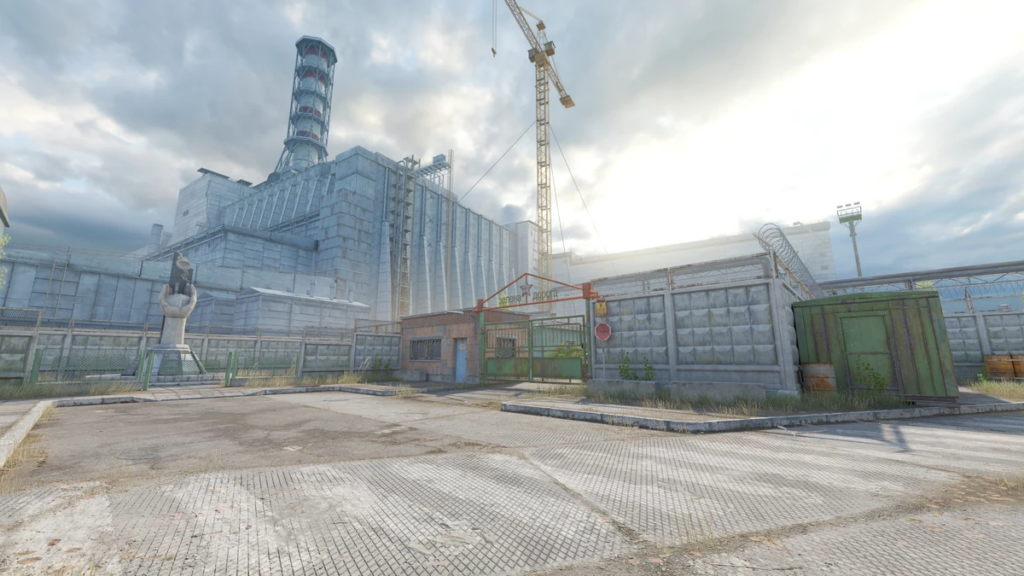
Cache
Finally, Cache is the last map on our list. Recently added to Counter-Strike 2, rebuilt from the ground up, Cache remains one of the most loved maps by the Counter-Strike community. It features a post-apocalyptic theme that is strongly connected to the Chornobyl nuclear accident that occurred on April 26, 1986, with many monuments that closely resemble the real-life location.
This map offers multiple key areas such as Mid, A/B Main, Squeaky, Forklift, Checkers, Shroud, etc., and has a relatively traditional layout that is familiar to many long-time Counter-Strike players, making it an easy map to learn and understand. When it comes to combat, this map offers plenty of possibilities, from long-range gunfights on Mid to coordinated site attacks.
Cache is a great choice if you’re looking to add something recognisable to your map pool while offering players a different experience from the classic Dust II and Mirage map rotation. Since the official release of Counter-Strike 2, the community missed Cache and wanted the map back; now, nearly three years later, it has returned, and everyone loves it.
Workshop and Community Maps
This is where it becomes interesting: community servers aren’t limited to Valve’s official maps, meaning you can run any custom map created by other players and modders through Steam’s Workshop or other ways.
When joining a server with a custom community map, a pop-up will appear, and the game will automatically download the map file via the Steam Workshop, meaning you don’t have to set up or configure anything manually in the game files.
These are the most common and popular types of workshop maps that you can use based on the server type you’re looking to run:
- Aim maps & 1v1 Arenas: If you’re looking to create a server where players can improve their duels and aiming, you should keep your eyes on small, symmetrical maps that are built for fast-paced gameplay, aim practice, and duels, like the famous awp_lego_2 or Aim Botz maps.
- Surf, Bhop, and KZ: The best specialized maps to improve on advanced mechanics such as movement, jumping, and racing. Maps such as surf_utopia_njv, bhop_tron_evolution, and kz_beginnerblock_go are some of the most common and well-known in this community; make sure to check them out.
- Retake & Execute maps: These ones are custom layouts or modified versions of Valve’s official maps, designed for quick, repeated scenarios to practice hard site retakes and holds.
- Minigame maps: If you’re looking to create a server that follows a specific minigame, there are multiple custom maps that are designed for this specific server type, such as Jailbreak, Zombie Escape, and Base Builder. Maps like jb_aqueduct, ze_Crazy_Escape_p, and bb_castle are some of the most appreciated maps by the community.
- Custom Competitive Maps: Let’s say you still want to offer a classic competitive experience with your server, but you’re looking to get something more than Valve’s standard maps; this is where custom competitive maps make their way in. There are several maps to choose from; even though it’s harder to learn the map at first because it’s a new map, you will eventually find great maps built by other players.
Community Map Support
In addition to the standard maps in Counter-Strike 2, Valve supports map creators by featuring their creations in the official matchmaking list based on seasonal rotations.
- Season 3 (Late 2025): Maps such as Golden, Palacio, Rooftop, and Transit, made for both the Competitive and Wingman game modes, were part of the Season 3 community map group.
- Season 4 (Early 2026): This season included new maps such as Warden, Stronghold, Alpine, Sanctum, and Poseidon.
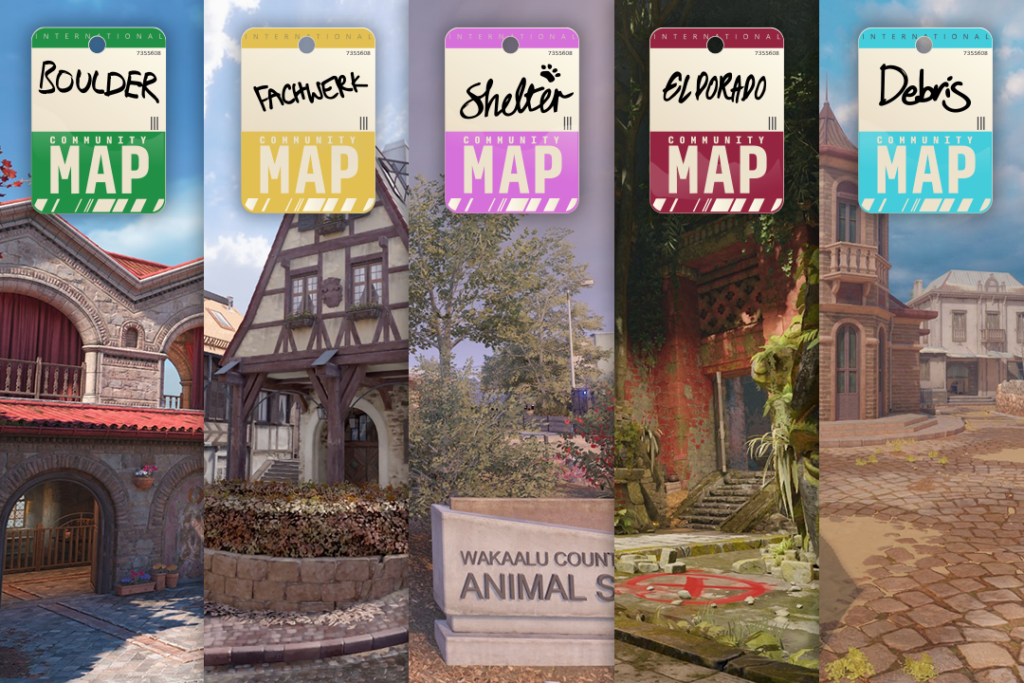
- Season 5 (Currently): Replaced those maps from Season 4 with a brand-new community map group featuring Boulder, Fachwerk, Shelter, Debris, and El Dorado.
Also, the first wave of community maps Valve introduced the workshop maps infrastructure to the Source 2 engine happened in June 2024 and lasted until Mid 2025. This launch group, followed by early rotations, consisted of great maps such as Thera, Mills, Assembly, Memento, and the return of the well-known Agency hostage rescue map from CS:GO.
How to Choose the Right Maps for Your Server
Well, once you’ve decided what type of server you want to run, whether it is a competitive, casual, or deathmatch server, choosing your map rotation is very important for your community. Rather than randomly adding every popular map, you should take some time and consider how each map fits your desired server type.
Consider Your Server Type
To start, the first question you should ask yourself before starting your server is: what kind of experience are you looking to create?
For example, a competitive server might focus on competition maps such as Mirage, Inferno, Nuke, etc., while casual servers could use a mixed rotation of several familiar and classic maps that offer a relaxed and smooth experience.
Take some time and think about the gameplay you want your players to experience, and then choose the maps that support that goal.
Consider Your Players’ Skill Level
While you can’t actually know the skill level of your players, you should keep in mind that map difficulty can also influence how enjoyable your server is for different types of players.
Newer or Casual players might prefer familiar maps such as Dust II or Mirage, but these maps may also be preferred by skilled players. Compared to beginners, experienced players can feel comfortable learning new maps with more complicated layouts, such as Nuke or Ancient.
To be more specific, this doesn’t mean you should only use easy and classic maps for your new community server. You can easily create a mixture of familiar and more challenging maps that can give every player the opportunity to adapt and experience something different.
Don’t Use Too Many Maps
When first creating your server’s map pool, having a huge list of maps sounds like a good way to provide balance and variety, but it can actually have the opposite effect.
Having too many maps in your rotation can make individual maps that players are looking for appear very rarely. With that, players may also find it very difficult to learn the server’s map rotation if they want to play on it for a couple of days.
A smaller and balanced map pool will surely make it easier for you as a server owner and for players joining your server to become familiar with the maps and the entire map pool, without any difficulties.
Listen to Your Community
After some time, your community can eventually help you organize and update your map rotation based on their feedback. Listen to your community and see what maps they regularly choose, which ones are frequently skipped or ignored, and which maps generate the most activity and player base.
If one specific map receives significant negative feedback, you should consider removing it or replacing it with a map that is highly requested in your community; that’s how you can optimize and adapt your server in the most efficient way possible.
Common Map Selection Mistakes
When it comes to creating your community server’s map pool, you shouldn’t just add all the popular maps and expect it to be effective. Instead, try to maintain a balance between different aspects of the maps you choose. There are several common mistakes server owners make that can make the map pool less enjoyable.
Adding Too Many Maps
This is by far one of the most common mistakes owners make when first creating their server. Creating unnecessarily large map pools isn’t the aspect you should look for. At first, it can sound effective, providing sufficient map variety, but the truth is that players might find it difficult to actually enjoy the map pool because they may rarely encounter the maps they actually enjoy. That’s why a smaller and balanced rotation can make the server feel more consistent and smoother.
Choosing Maps That Don’t Match Your Server
For a great experience, your map selection must match your server type. For example, if you’re running a competitive server, you should prioritize maps that are strictly designed for bomb-defusal scenarios, providing support for coordinated site executes and defensive strategies. On the other hand, a deathmatch server has totally different requirements because the players will need to benefit from frequent gunfights, along with fast coordinated respawns.
Only Choosing Maps Because They Are Popular
At first, this choice seems efficient, but over time, that can turn out the opposite way. Of course, popular maps are popular for a reason, but that doesn’t mean every popular map will automatically be beneficial for your server. You just have to take some time and think about why that map is so popular and whether those qualities match the experience you want to provide with your server.
Never Changing The Map Rotation
A map pool that always stays the same can eventually become predictable. This doesn’t mean you will have to constantly introduce and remove maps, but occasionally introducing a different map or just changing the order of your rotation can help keep the server’s experience fresh for a long period of time.
Ignoring Your Community
This is actually more important than it seems; your server is ultimately built for its players, so their feedback and experience matter the most for your server to be effective long-term. If your community constantly avoids a specific map and asks for it to be replaced or removed, it may be worth taking a look. Likewise, players can request new maps to be added and help you build an efficient map pool based on your community’s preferences.
Summary
Choosing the right maps is the most important part of creating a successful Counter-Strike 2 community server. The perfect map pool doesn’t exist because there isn’t a single one that will suit every community, so your choices should reflect what type of experience you want to provide with your server, as well as the community’s preferences as they take shape over time.
Dust II and Mirage are the most familiar maps, providing stability and accessible options, while Inferno, Nuke, Ancient, Anubis, and Cache can offer a unique experience with new levels of strategy, different map layouts, and variety.
The most important thing you should always keep in mind when creating your server’s map pool is to create a balanced rotation that will eventually suit your players. Consider your server type, community feedback, and player skill levels rather than simply adding as many maps as possible to fill your rotation.
A smaller, balanced, and effective rotation will always provide a better experience than a huge, unbalanced rotation with desired maps that players will rarely get to play.
Looking to create your own Counter-Strike 2 server? Here at Cybrancee, we provide reliable Counter-Strike 2 Server Hosting to ensure you get the performance and stability you are looking for. Forget about your server and focus on building your community freely with instant server setup, powerful and optimized dedicated servers, DDoS protection, global server locations, scheduled backups, 24/7 human support, etc. We also provide an accessible control panel that makes everything easier to manage and configure.
Whether you’re looking to run a competitive server, create a casual community, or just a private server to play with your friends, we offer advantageous hosting plans for every community size and requirement. Make sure to check them out, starting now at just $7.99/month!