

Running a Minecraft server sounds simple at first until someone starts killing players instantly, flying across the map, or duplicating items to become the best player on the server. As a server owner, you want to keep your server fair and safe to prevent players from cheating.
To keep your server secure and prevent cheating, anti-cheat plugins can help detect and block exploits such as fly hacks, kill aura, speed hacks, and even X-ray. In this blog, we’ll walk through what an anti-cheat plugin is, if you really need one for your server, and how to set up an anti-cheat plugin when needed.
What is an Anti-Cheat plugin?

Anti-cheat plugins detect, block, and prevent players from using unfair modifications, cheat clients, and exploits. They continuously monitor player behavior against what should be physically possible in Minecraft and what the player behavior actually is. If a player is going against what is possible in vanilla Minecraft, the plugin takes corrective action by blocking the action or issuing commands to the console, usually to ban the player temporarily or permanently. Most Anti-Cheat plugins watch four types of activities:
Movement: Monitors a player’s movement coordinates and sees if it matches physical game rules such as the max walk speed, sprint speed, and jump height. This blocks speed hacks, flying, high jumping, and no-clipping through solid walls or blocks.
Combat: Validates the angle, timing, and distance of hits. A hit is usually considered legitimate if the reach is around 2 or 3 blocks and the timing between clicks is not super significant. This blocks rapid auto-clicking and extreme reach modifications such as exploiting entity and player hitboxes.
Inventory: Looks at actions within the inventory menu, such as shift-clicking and drag events, and takes action if it detects potential item duplication. Action is usually taken when changing slots really quickly, as it could potentially duplicate items.
Packets: Tracks the rate of packets sent to the user and server and is used to prevent fake lag generation and potential server crashing from flooded packet data. It also catches desync exploits, where a client purposely delays sending packets, such as when a player is located.
While Anti-cheat plugins are great to have, no detection system catches everything perfectly. A legitimate player with high ping could be flagged by mistake, a false positive. If you decide you need one, it is highly recommended that you configure the settings of your anti-cheat plugin and have human moderators in case an anti-cheat doesn’t pick up a player cheating.
Do I really need one?
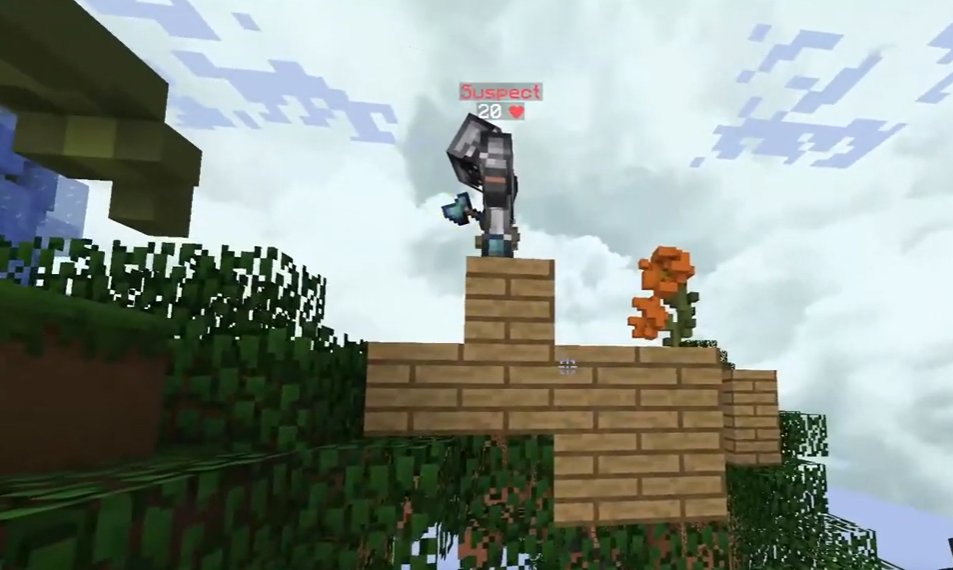
If you are running a private server that is whitelisted, you likely don’t need one. Strangers generally can’t join your server and ruin the game. Make sure who you are inviting doesn’t have a history of cheating or hacking on Minecraft.
However, if you are running a public server where a whitelist is not enabled, it is highly recommended that you enable one to prevent bad actors from exploiting your server and ruining it. A server with 10 players and one bad actor can easily ruin a server for good and can cause players to leave and never come back.
Some Anti-Cheat Plugins Available
There are multiple anti-cheat plugins available; some are free, while some cost money. Two plugins are most consistently recommended by server owners: Grim and Vulcan Anticheat.
Grim Anticheat
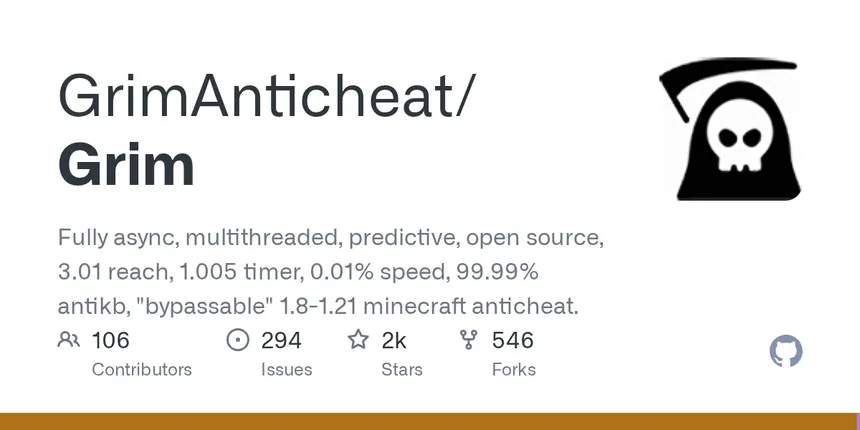
Grim Anticheat is the best free, open-source plugin for detecting cheating. This anticheat runs a full simulation and prediction engine to calculate where and what a player should be on the next tick based on collisions, potion effects, gravity, and even ridable entities such as pigs and striders. If the margin of what actually occurred and what should have happened exceeds the acceptable range, a violation occurs and either warns staff or bans the cheater.
The anticheat also keeps a replica of the world for each player by listening to chunk data packets, block placements, and block changes. This replica will allow the anticheat to safely access the world state to perform its simulation and prediction engines. It also includes latency compensation to reduce ghost blocks and desync-related false positives, mainly for players that might have high ping.
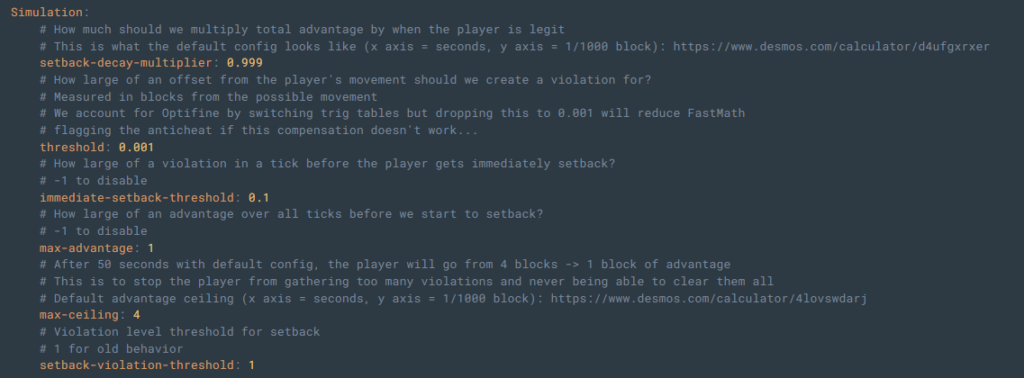
You can also modify the simulation settings and thresholds in the configuration files, such as how strict the simulation should be and when to start punishing users for cheating. It is recommended to keep the threshold high to begin with to avoid potential false positives.
The plugin supports versions from 1.8 to the latest versions of Minecraft, and no dependency plugins are required to use Grim Anticheat.
Grim Anticheat is perfect for server owners with smaller communities or for owners who don’t want to spend money on a plugin.
Spartan Anticheat
Spartan Anticheat is another plugin available. This anticheat supports version 1.7 up to the latest version of Minecraft, so you can use it on any version of Minecraft.
It blocks lots of hacks, including most combat hacks (Auto clickers and aimbots) and movement hacks (Flight and teleport). A full list of what hacks are blocked can be found on their Modrinth page.
Spartan is one of the easier anticheats to configure, as it offers an in-game GUI to adjust settings instantly without needing to edit the YML files. It does offer advanced options if you need more configurationc if you need it.
One unique feature about this anticheat is that it works for Java and Bedrock servers. You can detect cheats from both Java and Bedrock players without installing additional plugins.
However, a severe downside to this plugin is the free and paid versions of the plugin. The free version only allows a certain amount of detection time before the plugin stops detecting cheats. To increase your time, you need to manually increase it by running a command and clicking an item to increase the remaining time.
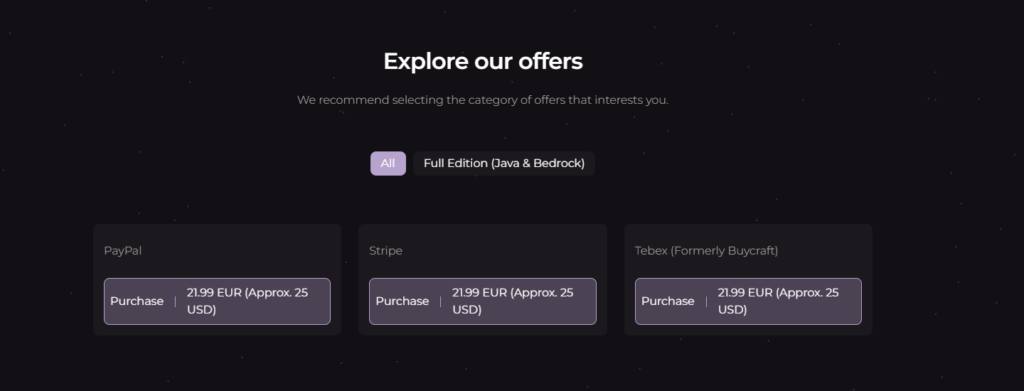
To remove this strict limitation, you need to purchase the premium version, which is about $25 USD yearly, depending on which payment method you choose. Also, the premium version of the plugin can only be purchased through their own website; you cannot purchase it from popular marketplaces such as BuiltByBit or SpigotMC.
Spartan Anticheat is good for crossplay detection, but the limitation makes it not worth it unless you purchase the premium version of the plugin.
Vulcan Anticheat

Vulcan Anticheat is the best paid plugin to detect and block cheating. The plugin takes it up one level by inspecting the packets exchanged between the user and the server to catch players cheating. This helps a lot with detecting speed hacks, flying, impossible reach, killaura, and autoclicking.
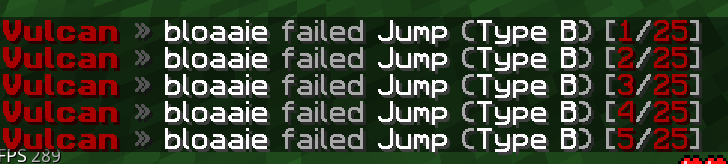
One upside to Vulcan is the configuration depth. It includes one of the most extensive configuration files of any anti-cheat available. You’re able to modify the sensitivity, punishment, and logging behavior of each check independently without having to configure a handful of broad settings. For example, you can set your punishment settings to notify staff. This is highly recommended when you initially get an anti-cheat plugin to avoid accidental false positives.
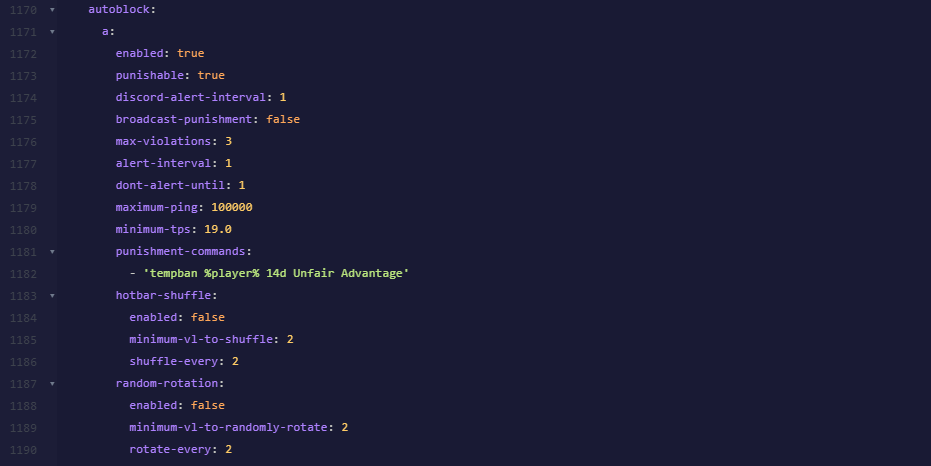
There are many configuration options for each check and cheat, such as the maximum and minimum values for TPS and ping, to avoid punishing players during a sudden lag spike or when a player has a poor connection to the server. You can also alert staff not only on the server but on a Discord server by creating a webhook and attaching the link to the configuration file.
Note that Vulcan requires the PacketEvents plugin installed alongside the Vulcan plugin itself to function. Verify that your server is compatible with PacketEvents and Vulcan before installing to avoid issues when starting your server.
One downside to this plugin is the cost. Vulcan is a paid closed-source plugin. It costs $20 USD to get lifetime access to the plugin and its updates, with no refunds generally once you purchase it. There is also no free trial with Vulcan; if you want to test it out, you have to purchase it. It is worth it if you have a strong player base and intense PvP action. It’s not worth it for casual survival servers.
Which plugin should I get?
If you run a smaller server and want protection without spending too much time on setup, choose Grim Anticheat. If you run a larger server, especially for servers related to PvP and competitive games, choose Vulcan Anticheat.
Note that large servers that are non-competitive can work well with Grim Anticheat, but a small serious PvP server may need Vulcan for the advanced configuration to detect and prevent cheating. If you’re still unsure what plugin to use, start with Grim. It is free to try, and if you find you need more protection, you can always upgrade to Vulcan.
Installing an Anti-Cheat Plugin
Here are the steps to install your anti-cheat plugin on the server.
Step 1: Verify that your server is compatible and install any dependencies if required. Most anti-cheat plugins list which versions and server software they support on their page. For example, if you use the Vulcan anti-cheat plugin, you must get the packetevents plugin.
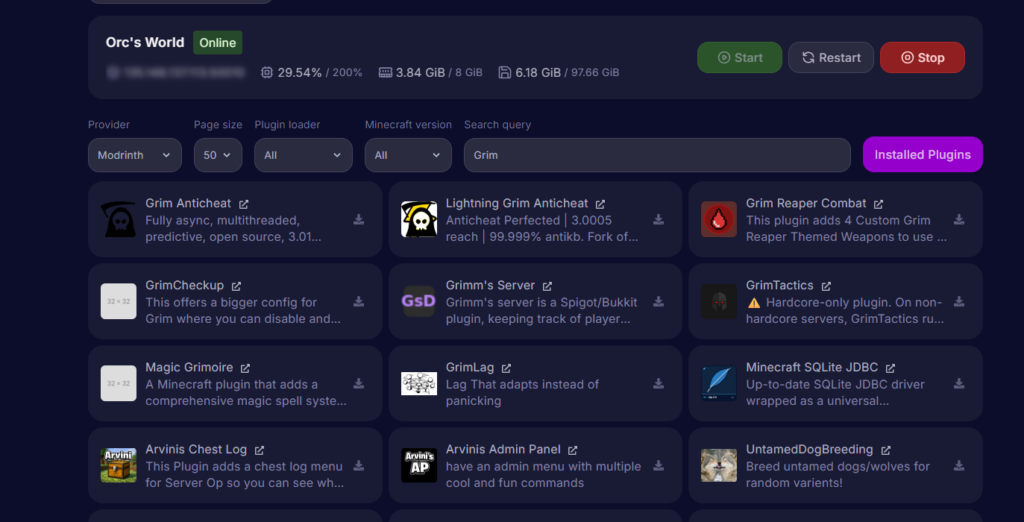
Step 2: Download the plugin from the plugin’s official page, usually on SpigotMC, and add it to your server’s /plugins folder. Make sure you download it from the official page; don’t download it from unofficial sources, as those files may contain malware. If you are using a free anti-cheat plugin, most hosting providers, such as Cybrancee, allow you to install it directly through the panel and automatically put it in the /plugins folder.
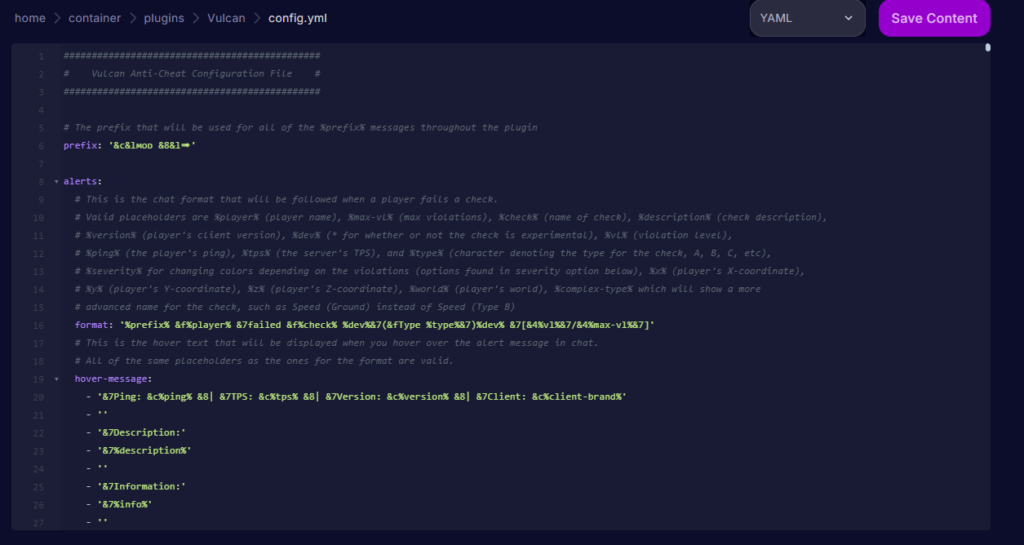
Step 3: Start your server and check the generated configuration files. These files are usually found in /plugins/[PluginName]/config.yml. You’ll need to adjust the sensitivity of some actions or enable/disable certain actions depending on the server.
Step 4: Reload your plugin configuration file by running /[pluginname] reload or, in some cases, restart your server. Read your server configuration file carefully to see if a server restart is needed after configuring the file. If you don’t know, we recommend restarting your server just in case.
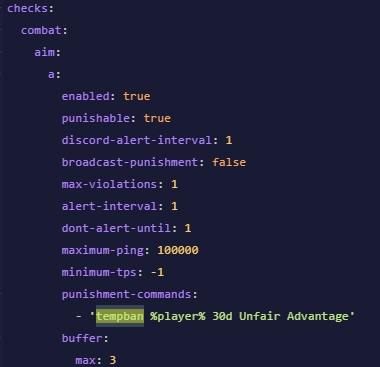
Step 5: Before trusting the plugin to automatically ban players when it detects cheating, set punishment actions to alert admins for the first couple of days. This gives you a window to catch false positives and configure the plugin to reduce the likelihood of players being falsely flagged. Once you are comfortable with your settings, you can turn on automatic punishments.
Conflicts with other plugins
If you have other plugins you use in addition to your anti-cheat plugin, it can cause major false positives, as an anti-cheat may flag a normal action from another plugin as cheating.
This doesn’t mean you can’t run multiple other plugins with an anti-cheat. Most anti-cheat plugins, including Grim and Vulcan anticheat, allow you to change your settings to prevent false flags from a specific action from another plugin.
Make sure you check for any conflicts with other plugins and adjust the settings of your anti-cheat to make sure an action from a plugin doesn’t cause flagging issues with players.
Server performance
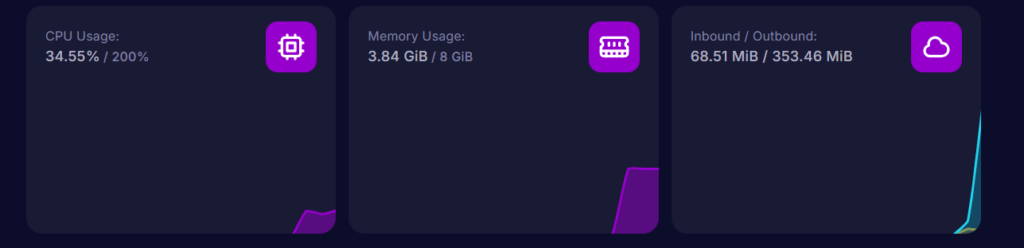
Since these plugins constantly check player movement, combat, and inventory actions on nearly every tick, it can affect your server performance.
Grim runs its checks asynchronously across multiple threads, so it stays lightweight, even when more players join. However, Vulcan checks the packets exchanged between the client and the server, which can affect server performance more.
For most servers, this isn’t something you need to worry about. However, servers with a large plugin list, heavy world generation, or a lot of players online at once can cause a problem, as it may push your server’s TPS (ticks per second) down and cause lag.
Your server hosting also matters. An anti-cheat running checks on every tick needs consistent CPU headroom to do that without slowing everything else down. Cybrancee’s excellent hosting can handle this extremely well with their high-performance Ryzen CPUs.
Frequently Asked Questions
Can players get banned unfairly?
Unfortunately, yes, it’s possible. Not all anti-cheat plugins are 100% perfect and may have lots of false positives.
Can I run more than one anti-cheat plugin at once?
Technically yes, but it’s strongly discouraged. Multiple plugins monitoring player movement or combat actions can conflict with each other and can cause issues. Pick one that fits your server size and configure it properly rather than stacking multiple plugins.
Do I still need to actively moderate with an anti-cheat plugin?
Yes. It’s possible some cheats go undetected with anti-cheat plugins, and taking action by a human moderator is absolutely needed. You also may want to review appeals by players in case a false positive occurred.
Can I switch anti-cheats?
Yes. To switch anti-cheats, you need to stop your server, remove your old anti-cheat, install the new anti-cheat, and start your server. Make sure you configure your new anti-cheat plugin once it’s fully started.
Summary
If you’re running a public Minecraft server, getting an anti-cheat is highly recommended to prevent cheaters and bad actors from ruining your server.
Choosing which anti-cheat plugin to use comes down to your budget, how competitive your server is, and your player count. Grim Anticheat is a popular free plugin and a safe starting point if you’re unsure what you need. If you need more protection, choose Vulcan Anticheat for its advanced configuration depth. However, Vulcan does cost money, but it is absolutely worth it for serious competitive servers.
If you’re looking to run a Minecraft server, either for friends or for the public, choose Cybrancee’s Minecraft Server Hosting. Cybrancee offers exceptional hosting with a generous 90-day money-back guarantee.
Happy gaming!