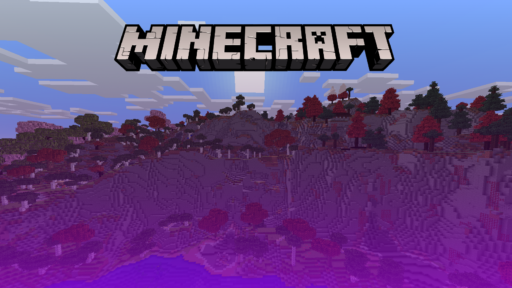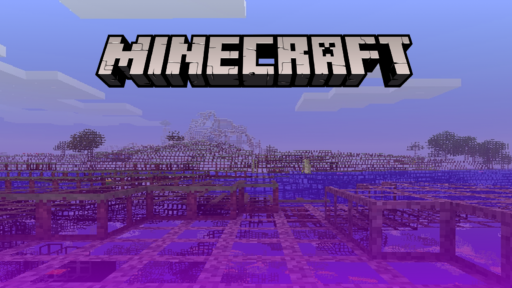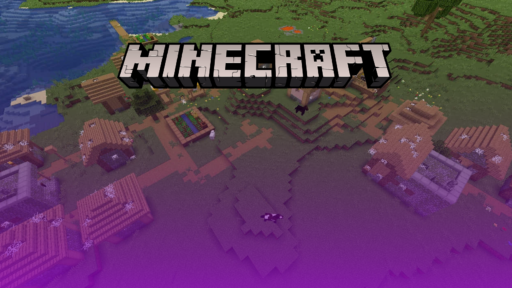


Minecraft’s default lighting does its job and nothing more. Flat shadows, a sun that barely warms anything, water that looks like tinted glass. Shaders fix all of that, and for a long time the assumption was that fixing it cost you 40 FPS and a graphics card you don’t own. That assumption is out of date. A small group of shader packs exists specifically to get some of that lighting depth onto a laptop with integrated graphics, or a five-year-old desktop GPU, without dragging the frame rate into slideshow territory.
That group is smaller than the pile of ultra-realistic packs built for RTX owners, but it’s not thin either, and the options differ quite a bit in what they trade away to hit low-end performance. Some drop dynamic shadows entirely and lean on color grading instead. Others keep shadows but make every other effect optional. None of them will make an old PC forget what it is, but the five below, plus a bonus pick, will make Minecraft look noticeably better than vanilla without turning a laptop fan into a leaf blower.
What to Look For in a Low-End Shader Pack
Picking a shader pack for weak hardware is a shorter checklist than picking one for a gaming rig, but a couple of items here matter more than people expect.
The must-haves:
Actual GPU headroom, not marketing copy. “Runs on any potato” gets used loosely. What actually matters is whether the pack supports OpenGL 4.0 (standard on basically any GPU from the last decade or so) and whether it needs dedicated video memory or can get by on shared, integrated graphics. A handful of ancient cards, the Intel HD 5000 line in particular, still get locked out even of the lightest packs, so it’s worth a quick check before downloading.
Effects you can switch off one at a time. The better low-end packs don’t give you a single toggle; they give you a dozen: shadows, depth of field, bloom, motion blur, each independent of the others. That lets you decide your own trade-off instead of living with whatever the developer set as default.
Iris support, not just OptiFine. OptiFine still works, but Iris has largely taken over for shader loading, mostly because it runs shader packs on top of Sodium instead of Minecraft’s stock renderer. That difference alone can be the gap between 25 FPS and 45 FPS on the exact same hardware and the exact same shader pack.
Recent updates. Minecraft’s version cadence has stayed quick, and a shader pack that hasn’t been touched in over a year is a pack that’s one update away from breaking outright. Check the last update date before anything else.
Nice to have:
A look that stays close to vanilla. Not required, but packs that keep Minecraft’s original color identity instead of pushing toward realism tend to run lighter too. There’s a reason most of the picks below lean this way instead of toward cinematic detail.
A preset ladder. Packs that scale from “Potato” up through “Ultra” let the same download grow with you if your PC ever gets an upgrade, instead of forcing a switch to an entirely different shader pack later.
Quick Comparison
| Shader Pack | Performance | Visual Style | Loader Support | Best For |
|---|---|---|---|---|
| MakeUp – Ultra Fast | Very low, almost everything is optional | Understated, vanilla-plus | Iris, OptiFine (1.12 to the current 26.2) | Squeezing playable frames out of the weakest hardware |
| Sildur’s Enhanced Default | Very low on the Fast preset | Vanilla look, soft shadows and reflections | Iris, OptiFine (1.7.10 to 26.2) | Old integrated graphics, Mac included |
| Potato Shaders | Very low, no dynamic shadows | Bloom, depth of field, custom water | Iris, OptiFine (needs OpenGL 4.0) | A step above bare vanilla without touching shadows |
| Complementary Reimagined (Potato preset) | Low on Potato, scales up from there | Two built-in styles, colored lighting | Iris, OptiFine | Wanting room to scale visuals up later |
| BSL Shaders | Medium, needs manual tuning down | Bright, saturated, heavily configurable | Iris, OptiFine (GTX 750 or better recommended) | Players willing to hand-tune every setting |
| Bonus: Super Duper Vanilla | Low | Faithful vanilla colors, soft directional lighting | Iris (OptiFine support is limited) | Keeping the classic Minecraft look intact |
1. MakeUp – Ultra Fast Shaders
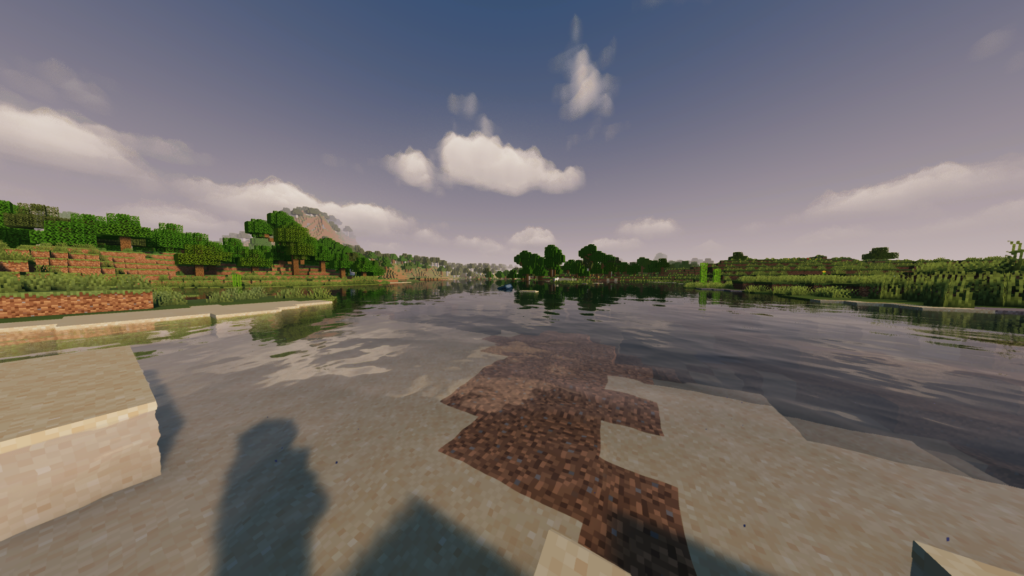
MakeUp is built by XavierFST and released as open source under the LGPLv3, which is part of why it’s sitting at close to 48 million downloads on CurseForge and still getting regular updates in 2026. The whole design philosophy is right there in the name: every heavy effect, shadows, depth of field, temporal anti-aliasing, chromatic aberration, motion blur, volumetric clouds, ships switched off by default. XavierFST has said directly that bloom, depth of field, and shadows are the three effects most likely to hurt your frame rate, so those are exactly the ones you turn on last, one at a time, watching your FPS counter as you go. It supports Iris and OptiFine across a huge version range, from 1.12 up through the current 26.2 release.
Pros:
- Nearly every expensive effect ships off by default, so out-of-the-box performance sits close to vanilla
- Actively maintained, with updates landing well into 2026
- Open source, so you can inspect or fork the code yourself
- Runs on properly old integrated graphics
Cons:
- Because the flashier effects are optional, the default look is fairly plain until you start turning things on
- Getting to your ideal setting takes some manual trial and error rather than picking one preset and being done
2. Sildur’s Enhanced Default Shaders
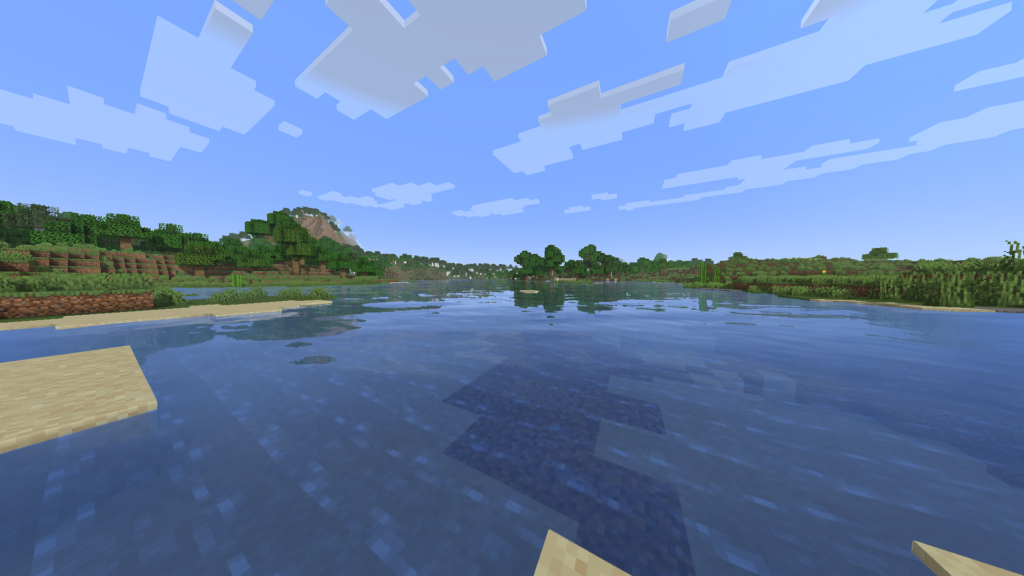
Sildur has been making shaders since 2012, and Enhanced Default is the entry built specifically for hardware that can’t handle his more demanding Vibrant Shaders. It keeps Minecraft’s actual look intact and adds shadows, water reflections, TAA, and godrays on top, with a Fast and a Fancy preset built in. Fast is the one to use if you’re on the weakest end of the spectrum; Fancy narrows the gap with heavier packs, so it’s worth testing both before settling. It supports Minecraft 1.7.10 all the way through 26.2, plus Distant Horizons and Voxy if you’re trying to push render distance without a second performance hit.
Pros:
- The Fast preset genuinely holds up on hardware that struggles with vanilla Minecraft at a decent render distance
- Compatible back to 1.7.10, useful if you’re running an older modpack
- Distant Horizons support means you can pair long view distances with the shader without stacking two performance costs
- Free, drop-in install, no extra installer required
Cons:
- The visual changes are intentionally subtle. If you want a dramatic transformation, this isn’t it
- Fancy preset is tempting but eats into the FPS advantage that makes this pick worth using in the first place
3. Potato Shaders
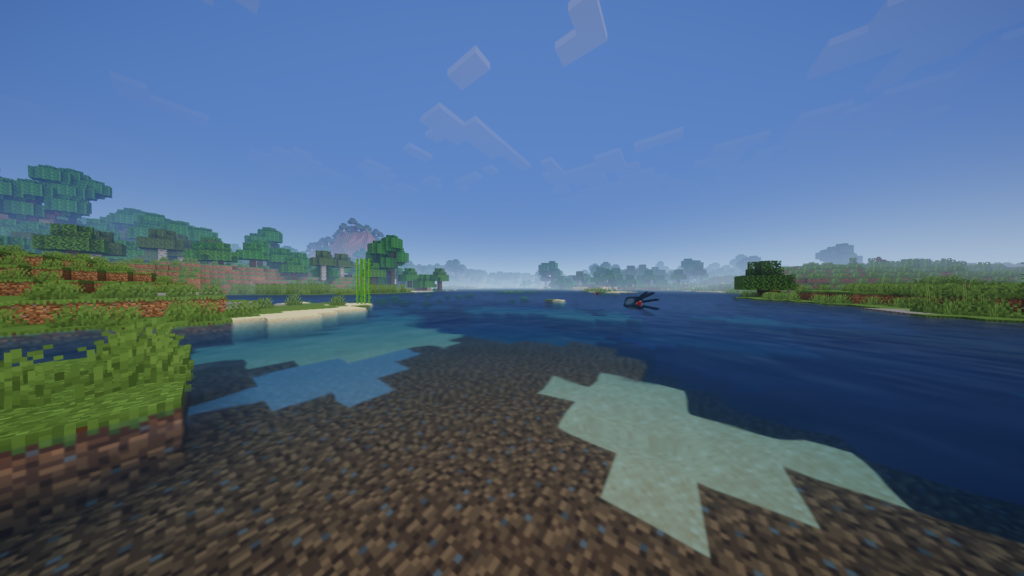
RRe36 built Potato Shaders around one idea: cut the single most expensive effect in most shader packs, dynamic shadows, and keep everything else. What’s left is tonemapping, bloom, depth of field, motion blur, TAA, ambient occlusion, and custom water, all toggleable through the in-game menu. The current release is r5.6.1, and it needs OpenGL 4.0, which rules out a short list of properly ancient cards like the Intel HD 5000 line. It works with both Iris and OptiFine.
Pros:
- Cuts the single most expensive shader effect while keeping most of the others
- RRe36 has a track record of prioritizing frame rate over flash across his other shader projects too
- Every remaining effect is toggled individually
Cons:
- No dynamic shadows means the lighting looks flatter than Complementary or BSL, even on their own Potato-tier settings
- A short list of older GPUs is locked out entirely because of the OpenGL requirement
4. Complementary Shaders – Reimagined (Potato preset)
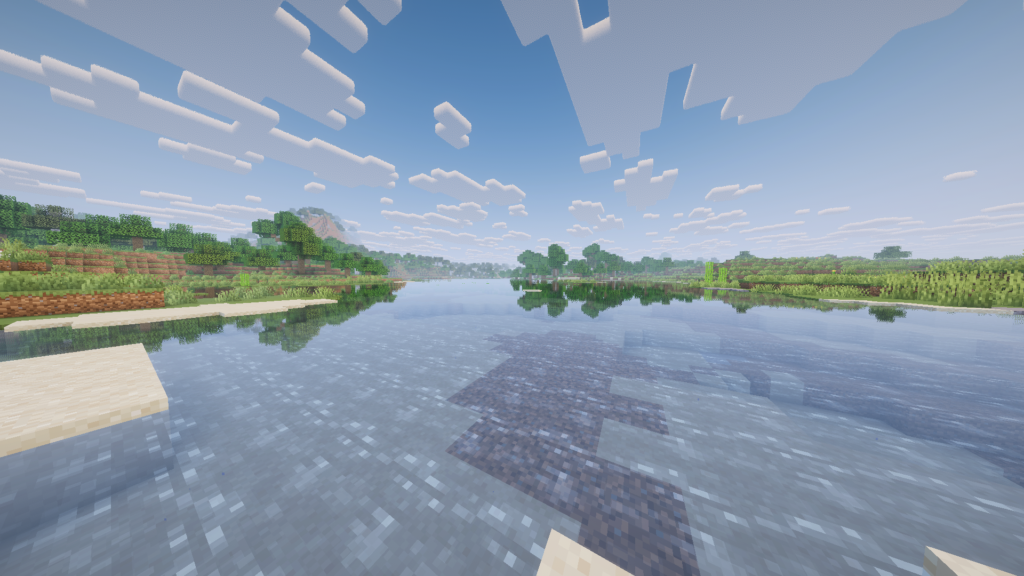
Complementary is EminGT’s project, and it’s one of the most downloaded shader packs Minecraft has ever had, north of 160 million downloads on CurseForge. It started in 2018 as an edit of BSL Shaders before getting rewritten from scratch, and it now ships two styles in one download: Reimagined, which keeps things close to vanilla, and Unbound, which leans realistic. Both scale through a preset ladder that runs from Potato up to Ultra. The Potato preset is the one worth focusing on here: waving grass, gentle bloom, better water and clouds, and basic shadows, tuned to run on integrated graphics.
Pros:
- The preset ladder means one download scales from a laptop’s integrated graphics all the way up to a gaming PC
- Reimagined and Unbound ship together, so switching visual styles doesn’t mean a new download
- A massive install base means bugs get found and patched fast
- Actively updated, with the latest release landing within the past couple of months
Cons:
- Even on Potato, it’s doing more work under the hood than the truly minimal packs on this list, since it shares a codebase with the Ultra preset
- Two style options and five preset tiers is a lot of menu to work through if you just want to pick something and get back to playing
5. BSL Shaders
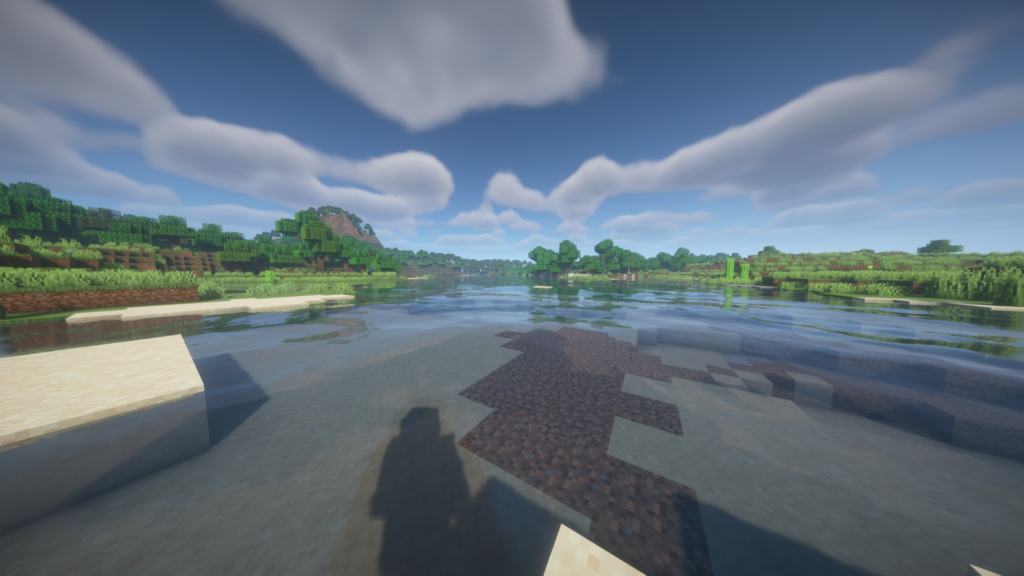
CaptTatsu’s BSL Shaders is the pack most players have already heard of, with over 80 million downloads on CurseForge and a reputation for bright, saturated color grading rather than the muted realism a lot of competing packs go for. It includes real-time shadows, volumetric light, ambient occlusion, bloom, and customizable clouds and water by default, with depth of field, motion blur, specular and normal mapping, and cel-shading all available as extras. The recommended minimum is roughly a GTX 750 or its equivalent, which puts it a notch above the other packs on this list.
Pros:
- Distinct, saturated look that a lot of players prefer over the more muted realistic packs
- Broad hardware support, with AMD, Apple Silicon, Intel, and Nvidia all listed as compatible
- Extremely configurable if you’re willing to hand-tune settings
Cons:
- The GTX 750 recommendation is a floor, not a comfortable target. Older integrated graphics will still struggle
- The default settings assume you’ll turn things down yourself, so it takes more manual tuning than the Potato-first packs here
Bonus: Super Duper Vanilla Shaders
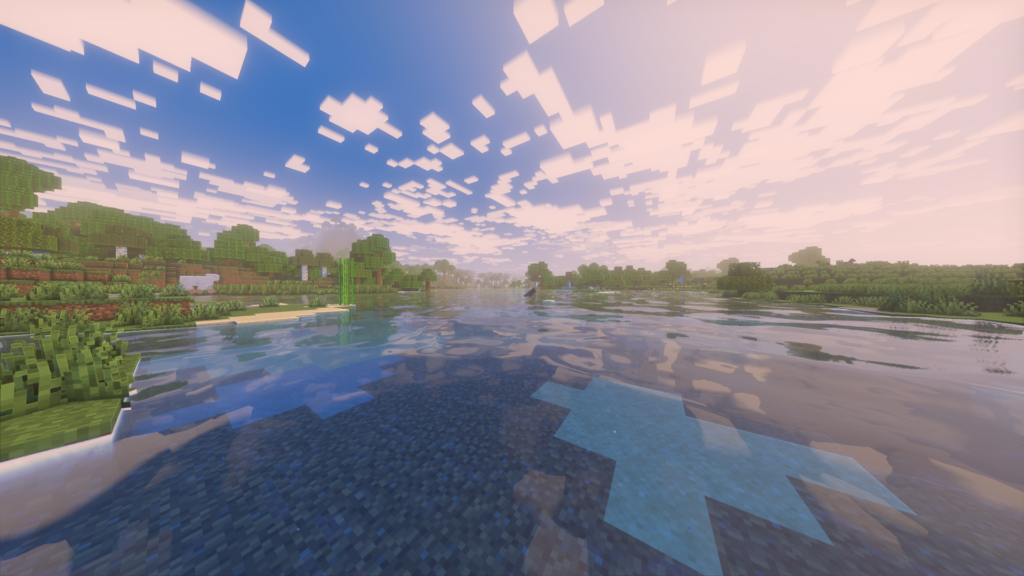
Eldeston built Super Duper Vanilla, now distributed under FlameRender Studios, to chase the look Mojang teased and then canceled back in 2017 with the original Super Duper Graphics Pack. It’s sitting at over 15 million downloads on CurseForge and keeps Minecraft’s actual color identity intact while adding soft directional lighting, subtle bloom, and cleaner shadows on top. Iris is the loader to use here. OptiFine support was quietly deprioritized starting with version 1.3.7, so don’t count on it going forward. It plays well with Distant Horizons and the Physics Mod, though Astrocraft and Nuit are both flagged as incompatible.
Pros:
- Keeps the actual vanilla color palette while adding real lighting depth, so screenshots still read as Minecraft
- Works alongside Distant Horizons if you also want a longer view distance
- Genuinely popular, with an active update history
Cons:
- OptiFine isn’t really maintained for this pack anymore, so Iris is close to mandatory
- A couple of specific mods are flagged as incompatible, worth checking before installing it into an existing modpack
OptiFine vs. Iris, and Which One to Actually Install
If you’re setting up shaders for the first time, the loader question trips up more people than picking the actual shader pack does.
OptiFine was the only real option for years, and it still works today. It’s a single standalone installer, which makes it the easier first step if you’ve never touched a mods folder before, and it’s the format every shader pack on this list was originally built against.
Iris is the newer option, and by now it’s the one most players, especially on weaker hardware, end up recommending. It runs shader packs on top of Sodium instead of Minecraft’s stock renderer, and that alone tends to produce a real FPS gain running the exact same shader pack on the exact same PC. It’s open source, plays better with other mods than OptiFine tends to, and gets updated close to the day a new Minecraft version drops.
The trade-off is setup. Iris needs Fabric (or NeoForge, through the Oculus port) installed first, which is one extra step compared to OptiFine’s single jar. A small number of older, OptiFine-specific shader packs still render slightly wrong on Iris, though every pack covered here works fine on both loaders.
If you’re starting from scratch on slow hardware: install Fabric, then Sodium, then Iris, then drop the shader zip into the shaderpacks folder. If you’re already running OptiFine for another reason, like connected textures or an existing modpack, it’ll still work here too. Just expect a slightly bigger performance cost than Iris on the same pack.
Conclusion
For most people asking whether any of this will run on their PC, MakeUp – Ultra Fast is the safest starting point. Almost everything expensive ships switched off, so you’re never fighting the shader pack for frames; you’re deciding how much of it to turn back on. If your hardware is closer to unplayable than merely old, Sildur’s Enhanced Default is the fallback that’s held up on genuinely ancient integrated graphics for well over a decade. And if you’d rather pick one shader pack and keep it through a future GPU upgrade, Complementary Reimagined’s Potato preset is the one that scales the furthest without asking you to switch packs later.
If you’re looking to try these Shaders on a Minecraft server with you and your friends, choose Cybrancee’s Minecraft Server Hosting. Cybrancee offers exceptional hosting with a generous 90-day money-back guarantee.
Happy shading!